Cross project search
🔥 This feature is currently considered experimental. Try it out and give feedback by reporting bugs and suggesting new features. It’s not recommended for production use.
👥 This feature is available to all users.
|
This feature requires SysON to be configured to work with Elasticsearch. |
The cross project search is a feature accessible in the Projects browser’s command palette that allows to search for elements in any SysON project. It is based on Elasticsearch’s query string, which allows to find elements by matching its indexed fields.
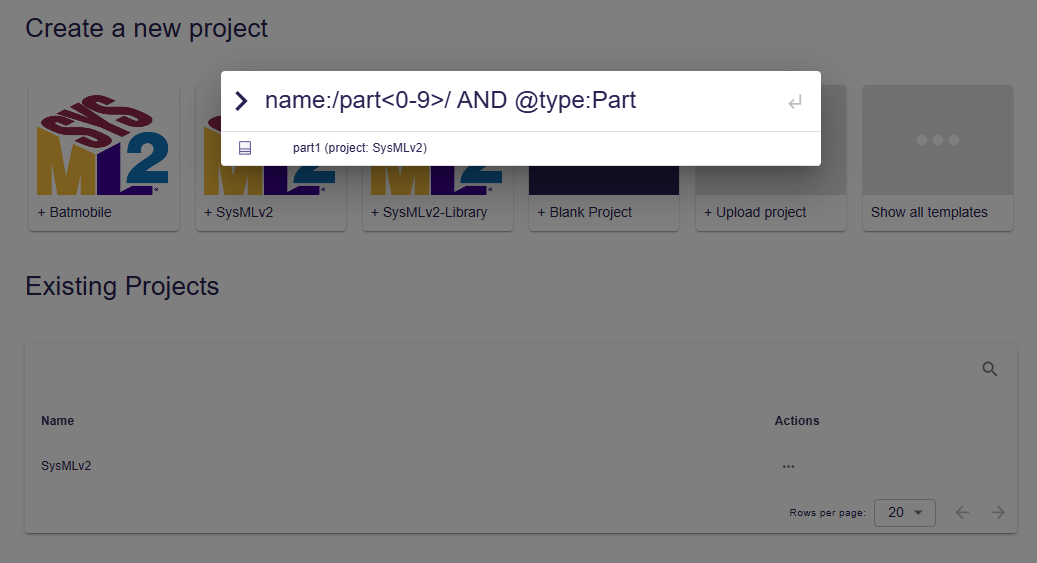
SysON stores each element of a SysML model following a data structure. The fields defined in this data structure can be used to match elements in the cross project search, for example:
// Get all the elements with a name starting with "Batmo"
name:Batmo*

// Get all the Part elements with a name starting with "part" followed by a digit
name:/part<0-9>/ AND @type:Part

// Get all the elements owned by "Package1"
owner.name:Package1

// Get all the elements typed by "PartDefinition1"
ownedSpecialization.@type:FeatureTyping AND ownedSpecialization.general.name:PartDefinition1
Note that the data structure only allows to query nested fields on 2 levels for Element instances (e.g. owner.name), and 3 levels for Specialization instances (e.g. ownedSpecialization.general.name).
|
SysML and KerML standard libraries are not indexed at the moment for performance reasons. |