Query
A view named Query is available in SysON, allowing users to query the models.
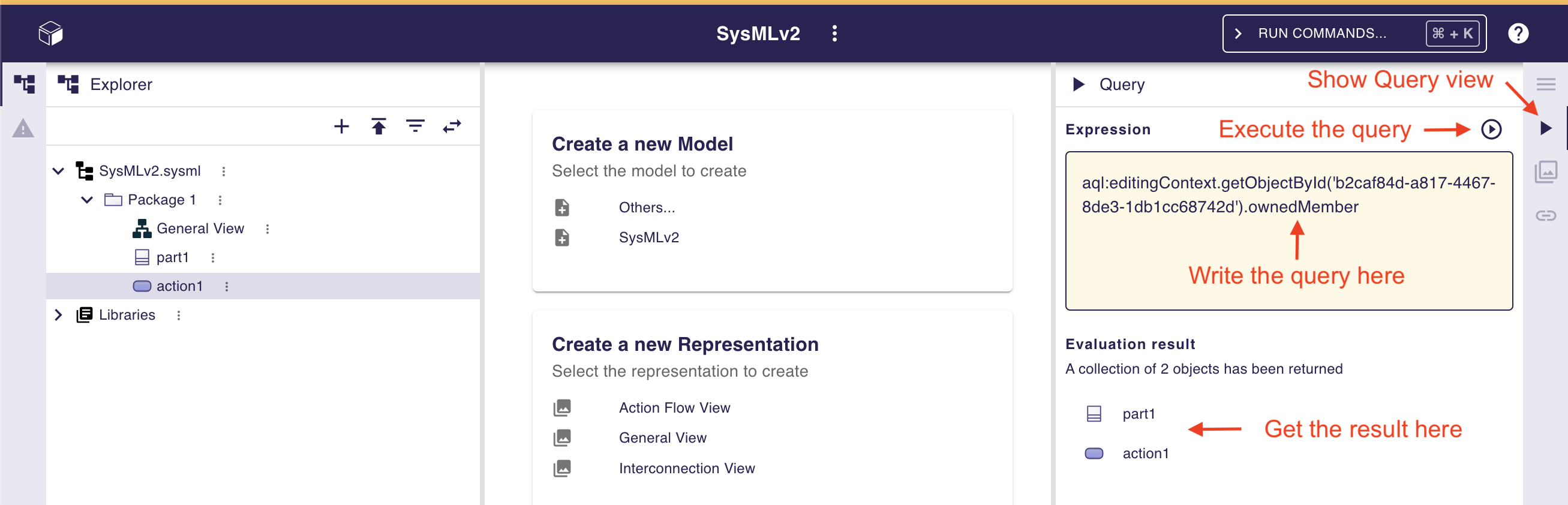
This view lets you write AQL queries (see the AQL documentation for details) and view their results.
|
This view comes from Sirius Web, the software on which SysON is based. It will be improved in future releases with new variables and services, but is currently experimental. |
Three variables are currently available to help write queries:
- self which represents the selected element in the Explorer and/or any open diagram.
It always returns one element.
- selection which represents the selected elements in the Explorer and/or any open diagram.
It always returns a collection of elements (one or several).
- editingContext, which represents the current project.
From this context, you can use the following services:
-
Collection<Object> allContents(): allows to retrieve all contents recursively (documents, and each element of all models) present in your editing context. Use this service carefully, as it can retrieve thousands of elements and cause performance issues. -
Collection<Object> contents(): allows to retrieve all contents (documents) present in your editing context. -
Object getObjectById(String id): from its ID, allows to retrieve an object (a document or a SysML v2 model Element) present in your editing context.
|
The use of this Query view requires knowledge of AQL and also a good knowledge of the SysML v2 language (attributes, references, operations). |
Here are some examples of AQL queries applied on a simple project:
-
The following example uses the
selfvariable, corresponding to the Package 1 element (which has been selected in the Explorer view), and asking for its name:
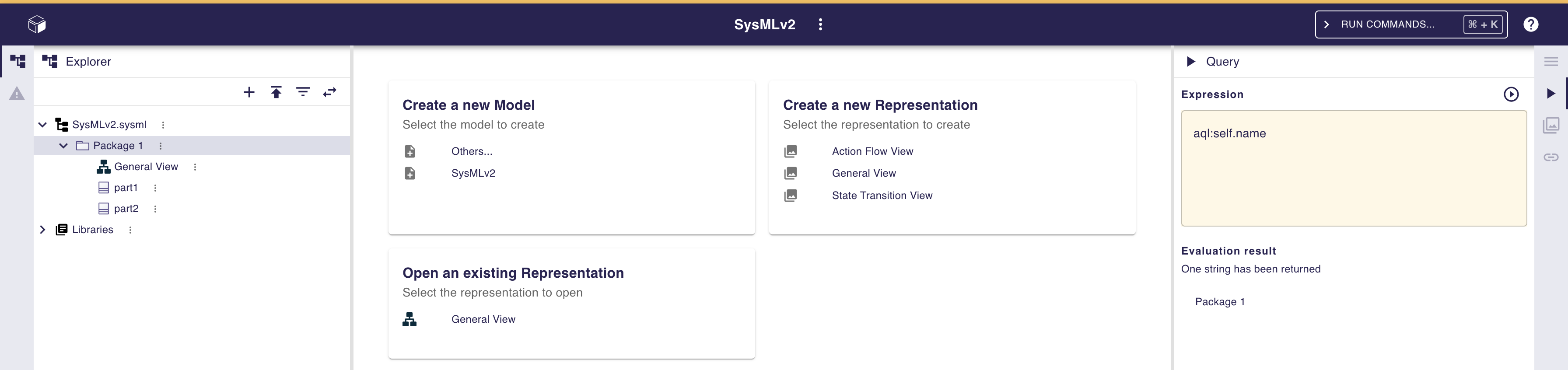
The result is visible in the Evaluation result part of the Query view (Package 1).
-
The following example uses the
selectionvariable, corresponding to the part1 and part2 elements (which have been selected in the General View diagram), and asking for the number of selected elements:
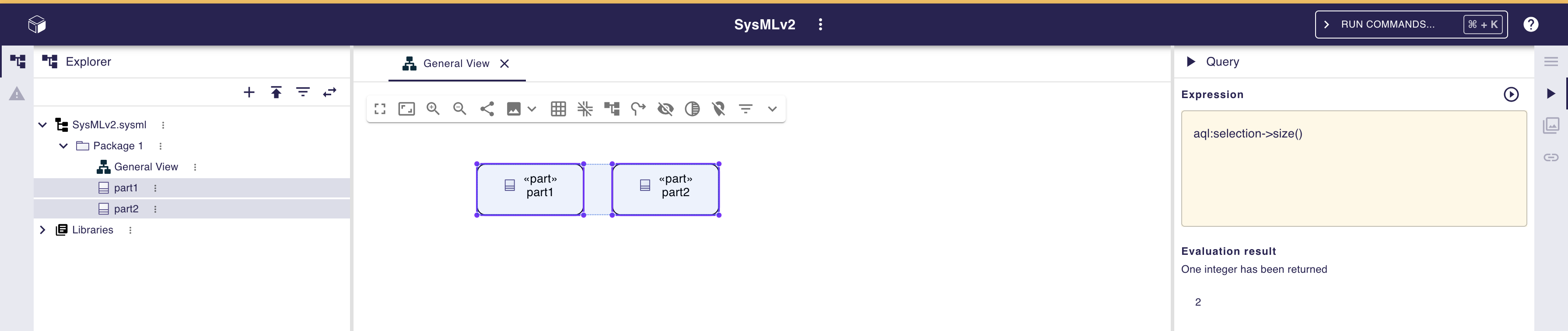
The result is visible in the Evaluation result part of the Query view (2).
-
The following example uses the
getObjectByIdservice with an ID as parameter, corresponding to the Package 1 element (its ID has been retrieved from the Advanced tab in Details view):
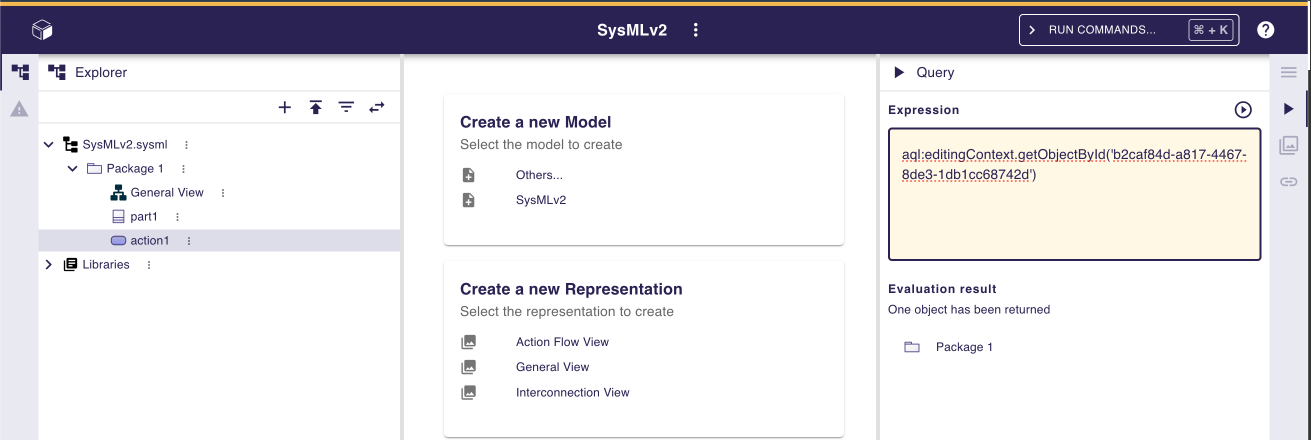
The result is visible in the Evaluation result part of the Query view (Package 1).
-
The following example uses the
ownedMemberreference from the SysML v2 language, applied on Package 1 element:
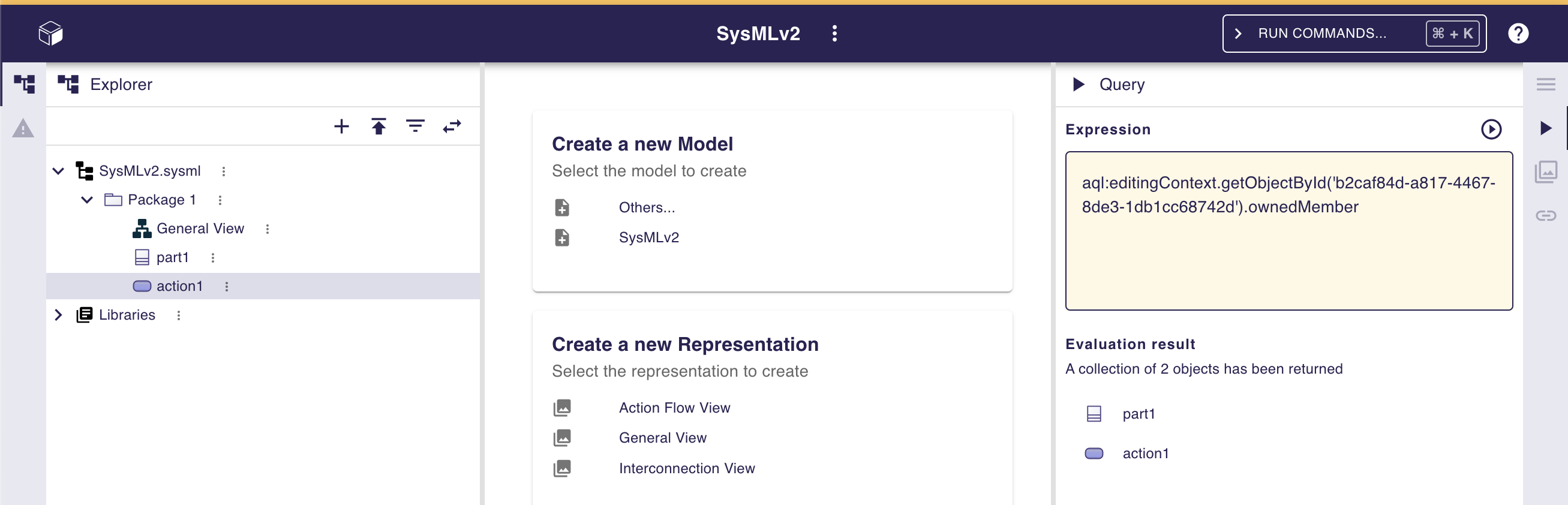
The result is visible in the Evaluation result part of the Query view (part1 and action1). In this case it corresponds to the members of Package 1 that you can also see in the Explorer view on the left side of the preceding screenshot.