APIs cookbook
Each recipe aims for clarity, ease of use, and customizability for different use cases.
1. Setup instructions
To get started with the examples, Python is used to interact with SysON’s features and data. Python offers a powerful way to automate tasks, handle API calls, and process data, making it an ideal choice for this purpose. Follow the steps after to set up your environment and get everything ready to run the provided code snippets.
1.1. Step 1: Install required Python libraries
Confirm you have the following Python libraries installed before running the code snippets:
-
requests: For making HTTP requests to the SysML v2 API. -
pandas: For organizing and manipulating data.
To install these libraries, run:
pip install requests pandas
1.2. Step 2: Configure SysML v2 API access
# These examples are adapted from the SysML v2 API Cookbook, available at
# https://github.com/Systems-Modeling/SysML-v2-API-Cookbook, maintained by the
# Object Management Group (OMG).
# The original cookbook is designed for use with Jupyter Lab.
# These examples have been adapted to run as standalone Python scripts, making
# them suitable for use in various environments, including SysON.
# They showcase practical usage scenarios and may include additional functionality
# or modifications tailored to specific needs.
import argparse

def init_sysmlv2_api():
    host =  "http://localhost:8080/api/rest" # Replace with your actual API host URL (1)
    return host

def parse_arguments():
    # Parse command-line arguments
    parser = argparse.ArgumentParser()
    parser.add_argument(
        "project_id",
        type=str,
        help="The project ID.",
    )
    parser.add_argument(
        "element_id",
        type=str,
        nargs="?",  # This makes element_id optional
        help="The element ID (optional).",
    )
    return parser.parse_args()
Replace http://localhost:8080 with the actual URL of your API server if hosted elsewhere.
|
What this code does:
| 1 | Define the base host: Assigns the variable host with the base URL of the SysML v2 API server. |
|
In the examples, the SysON server uses a randomization function to generate unique IDs, so outputs can differ when you run the examples on your project. |
Other code snippets use this function. To run it, see the following section about recipes.
1.3. Step 3: Test code snippets
Once you have configured the SysML v2 API access, you can start testing the recipes.
1.4. Troubleshooting
-
Error Handling:
-
Check endpoint URLs,
project_id,commit_id, andauthenticationtokens if the API returns errors: for example, 400 or 500 status codes. -
Confirm the API is running.
-
-
Empty Responses:
-
Verify that queried elements exist within the specified project and commit.
-
Use the SysON web interface for visual inspection.
-
-
Recursive Function Depth:
-
For large models, manage recursion depth appropriately.
-
Change the logic to handle large datasets by limiting recursion depth.
-
2. Recipes
2.1. Project and commit recipe (python script)
Learn how to manage projects and retrieve related commits programmatically. Each recipe includes a detailed explanation, step-by-step instructions, and code snippets.
Recipes covered:
-
Get projects: Fetch and display all projects currently available on the server.
-
Create a new project: Create a new project with a unique name.
-
Get commits: Retrieve a list of commits for a specific project.
2.1.1. Get projects
This code example demonstrates how to use Python’s requests library to interact with the SysON API and retrieve a list of projects.
It sends a GET request to the API endpoint for projects, processes the response, and prints the name and ID of each project.
Example script to fetch projects:
# These examples are adapted from the SysML v2 API Cookbook, available at
# https://github.com/Systems-Modeling/SysML-v2-API-Cookbook, maintained by the
# Object Management Group (OMG).
# The original cookbook is designed for use with Jupyter Lab.
# These examples have been adapted to run as standalone Python scripts, making
# them suitable for use in various environments, including SysON.
# They showcase practical usage scenarios and may include additional functionality
# or modifications tailored to specific needs.

import requests (1)
from init_api import init_sysmlv2_api

def fetch_projects(host): (2)
    projects_url = f"{host}/projects" (3)
    response = requests.get(projects_url) (4)
    if response.status_code == 200: (5)
        projects = response.json()
        for project in projects:
            print(f"Project Name: {project['name']}, ID: {project['@id']}")
    else:
        print(f"Error fetching projects: {response.status_code} - {response.text}")

if __name__ == "__main__":
    host = init_sysmlv2_api()
    # Get the projects
    fetch_projects(host)
What this code does:
| 1 | Import required libraries:
|
| 2 | Define the fetch_projects function with one parameter:
|
| 3 | Constructs the API endpoint address for fetching projects. |
| 4 | Sends a GET request to the API, passing the SysON address as a query parameter. |
| 5 | Handles the API response:
|
Run the script:
$ python fetch_projects.pyOutput:
Project Name: Batmobile, ID: 63a03bd8-a81a-4818-801a-01790ce8a0862.1.2. Create a new project
This recipe demonstrates how to create a new project in SysON using Python.
It sends a POST request to the /projects endpoint to create a new project with a unique name and description.
Example script to create a new project:
# These examples are adapted from the SysML v2 API Cookbook, available at
# https://github.com/Systems-Modeling/SysML-v2-API-Cookbook, maintained by the
# Object Management Group (OMG).
# The original cookbook is designed for use with Jupyter Lab.
# These examples have been adapted to run as standalone Python scripts, making
# them suitable for use in various environments, including SysON.
# They showcase practical usage scenarios and may include additional functionality
# or modifications tailored to specific needs.

import requests (1)
from init_api import init_sysmlv2_api
from fetch_projects import fetch_projects
from datetime import datetime

def create_project(host, project_name): (2)
    # Define project data as query parameters
    project_params = {
        "name": project_name
    }

    # API endpoint to create a project
    url = f"{host}/projects"  (3)

    # Send POST request with query parameters
    response = requests.post(url, params=project_params)  (4)

    # Check if the project creation was successful
    if response.status_code == 201:  (5)
        response_json = response.json()
        print("Project created successfully:")
        print(f"Project ID: {response_json.get("@id", "Unknown ID")}")
        print(f"Project Name: {response_json.get('name', 'Unknown Name')}")
    else:
        print(f"Error creating project: {response.status_code} - {response.text}")

if __name__ == "__main__":
    host = init_sysmlv2_api()

    # Fetch and display the list of projects currently available on the server
    print("Fetching the list of projects currently available on the server:")
    fetch_projects(host)

    # Create a new project with a unique name by appending a timestamp
    timestamp = datetime.now().strftime("%Y-%m-%d %H:%M:%S")
    project_name = f"New Project - {timestamp}"
    create_project(host, project_name)

    # Fetch and display the updated list of projects after creating the new project
    print("Fetching the updated list of projects after creating a new project:")
    fetch_projects(host)
What this code does:
| 1 | Import required libraries:
|
| 2 | Define the create_project function with two parameters:
|
| 3 | Constructs the API endpoint URL of project creation. |
| 4 | Sends a POST request to the API, passing the project name as a query parameter. |
| 5 | Handles the API response:
|
Run the script:
$ python create_project.pyOutput:
Fetching the list of projects currently available on the server:
Project Name: Batmobile, ID: 63a03bd8-a81a-4818-801a-01790ce8a086
Project created successfully:
Project ID: d967b937-304f-43a9-8af6-b1f3a9d6adbe
Project Name: New Project - 2024-12-31 10:52:56
Fetching the updated list of projects after creating a new project:
Project Name: Batmobile, ID: 63a03bd8-a81a-4818-801a-01790ce8a086
Project Name: New Project - 2024-12-31 10:52:56, ID: d967b937-304f-43a9-8af6-b1f3a9d6adbe
2.1.3. Get commits
|
SysON always returns a single branch with a single commit. |
This example extends the functionality by fetching the commit associated with a specific project ID.
It constructs an address based on the host and project ID, sends a GET request, and prints the ID of the retrieved commit.
Example script to fetch commits:
# These examples are adapted from the SysML v2 API Cookbook, available at
# https://github.com/Systems-Modeling/SysML-v2-API-Cookbook, maintained by the
# Object Management Group (OMG).
# The original cookbook is designed for use with Jupyter Lab.
# These examples have been adapted to run as standalone Python scripts, making
# them suitable for use in various environments, including SysON.
# They showcase practical usage scenarios and may include additional functionality
# or modifications tailored to specific needs.

import requests (1)
from init_api import parse_arguments
from init_api import init_sysmlv2_api

def fetch_commits(host, project_id):  (2)
    commits_url = f"{host}/projects/{project_id}/commits"  (3)
    response = requests.get(commits_url)  (4)
    if response.status_code == 200:  (5)
        commits = response.json()
        for commit in commits:
            print(f"Commit ID: {commit['@id']}")
        return commits
    else:
        print(f"Error fetching commits: {response.status_code} - {response.text}")
        return None

#  Retrieves the latest commit for a given project.
def get_last_commit_id(host, project_id):
    commits = fetch_commits(host, project_id)
    if commits:
        last_commit = commits[-1] if commits else None
        if last_commit:
            last_commit_id = last_commit['@id']
            print(f"Last Commit ID: {last_commit_id}")
        return last_commit_id
    else:
        print("No commits available.")
        return None

if __name__ == "__main__":
    args = parse_arguments()
    host = init_sysmlv2_api()
    project_id = args.project_id
    fetch_commits(host, project_id)
What this code does:
| 1 | Import required libraries:
|
| 2 | Define the fetch_commits Function with two parameters:
|
| 3 | Constructs the API endpoint URL for fetching commits. |
| 4 | Sends a GET request to the API, passing the SysON address and the project ID as a query parameter. |
| 5 | Handles the API response:
|
Run the script:
$ python fetch_commits.py your-project-idOutput:
Commit ID: 63a03bd8-a81a-4818-801a-01790ce8a0862.2. Element owned elements recipe (python script)
Learn how to retrieve owned elements programmatically. Each recipe includes a detailed explanation, step-by-step instructions, and sample code.
Recipes covered:
-
Get owned elements: Retrieve owned elements.
2.2.1. Get owned elements
This example demonstrates how to recursively navigate through the hierarchical structure of elements by using the SysON API. The script starts from a specific element identified by its ID and retrieves its details along with any "owned elements." The function calls itself recursively to explore all child elements in the hierarchy, printing their names, IDs, and types in an indented format to show the hierarchy visually.
Example script to get owned elements:
# These examples are adapted from the SysML v2 API Cookbook, available at
# https://github.com/Systems-Modeling/SysML-v2-API-Cookbook, maintained by the
# Object Management Group (OMG).
# The original cookbook is designed for use with Jupyter Lab.
# These examples have been adapted to run as standalone Python scripts, making
# them suitable for use in various environments, including SysON.
# They showcase practical usage scenarios and may include additional functionality
# or modifications tailored to specific needs.

import requests
from init_api import parse_arguments
from init_api import init_sysmlv2_api
from fetch_commits import get_last_commit_id

# Function to fetch an element and print its name and type
def get_element(host, project_id, commit_id, element_id, indent):
     # Fetch the element in the given commit of the given project
    element_url = f"{host}/projects/{project_id}/commits/{commit_id}/elements/{element_id}"  (3)
    response = requests.get(element_url)  (1)

    if response.status_code == 200:
        element_data = response.json()
        element_name_to_print = element_data['name'] if element_data['name'] else 'N/A'
        element_id = element_data ['@id']
        element_type = element_data ['@type']
        print(f"{indent} - {element_name_to_print} (id = {element_id} , type = {element_type})") (2)
        return element_data
    else:
        return None

# Fetches immediate owned elements for a given element
def get_owned_elements_immediate(host, project_id, commit_id, element_id, indent):
    element_data = get_element(host, project_id, commit_id, element_id, indent)
    if element_data:
        owned_elements = element_data['ownedElement']
        if len(owned_elements) > 0:
            for owned_element in owned_elements:
                get_element(host, project_id, commit_id, owned_element['@id'], indent + '  ')
    else:
        print(f"Unable to fetch element with id '{element_id}' in commit '{commit_id}' of project '{project_id}'")

# Fetches owned elements recursively for a given element
def get_owned_elements(host, project_id, commit_id, element_id, indent):
    element_data = get_element(host, project_id, commit_id, element_id, indent)
    if element_data: (3)
        owned_elements = element_data['ownedElement']
        if len(owned_elements) > 0:
            for owned_element in owned_elements:
                get_owned_elements(host, project_id, commit_id, owned_element['@id'], indent+' ')
    else:
        print(f"Unable to fetch element with id '{element_id}' in commit '{commit_id}' of project '{project_id}'")  (4)

if __name__ == "__main__":
    args = parse_arguments()
    host = init_sysmlv2_api()
    project_id = args.project_id
    commit_id = get_last_commit_id(host, project_id)
    element_id = args.element_id

    #Get owned elements (immediate) for the given element in the given commit of the given project
    print("Immediate Owned Elements:")
    get_owned_elements_immediate(host, project_id, commit_id, element_id, '')

    # Get owned elements (recursive) for the given element in the given commit of the given project
    print("\nRecursive Owned Elements:")
    get_owned_elements(host, project_id, commit_id, element_id, '')
What this code does:
| 1 | Fetches an Element: Sends a GET request to the SysON API to retrieve details about an element specified by its ID. |
| 2 | Prints Element Details: Displays the element’s name, ID, and type in a formatted, indented way. |
| 3 | Processes Owned Elements: Checks for owned elements and calls itself recursively for each one. |
| 4 | Recursive Traversal: Continues recursing through hierarchical levels until it explores and prints all owned elements. |
This approach helps visualize the structure of complex models or systems, where elements are organized hierarchically. It highlights how to navigate relationships between elements efficiently by using the SysON API.
Run the script:
$ python get_owned_elements.py your-project-id your-element-idOutput example:
Commit ID: 63a03bd8-a81a-4818-801a-01790ce8a086
Last Commit ID: 63a03bd8-a81a-4818-801a-01790ce8a086
Immediate Owned Elements:
 - Batmobile (Definition)
   - problemStatement (ReferenceUsage)
   - systemIdea (ReferenceUsage)
   - seat (PartUsage)
   - body (PartUsage)
   - wheels (PartUsage)
   - frontLeftWheel (PartUsage)
   - frontRightWheel (PartUsage)
   - rearLeftWheel (PartUsage)
   - rearRightWheel (PartUsage)
   - battery (PartUsage)
   - batmobileEngine (PartUsage)

Recursive Owned Elements:
 - Batmobile (Definition)
  - problemStatement (ReferenceUsage)
   - N/A (LiteralString)
  - systemIdea (ReferenceUsage)
   - N/A (LiteralString)
  - seat (PartUsage)
  - body (PartUsage)
  - wheels (PartUsage)
  - frontLeftWheel (PartUsage)
  - frontRightWheel (PartUsage)
  - rearLeftWheel (PartUsage)
  - rearRightWheel (PartUsage)
  - battery (PartUsage)
   - powerPort (PortUsage)
   - capacity (AttributeUsage)
  - batmobileEngine (PartUsage)
   - enginePort (PortUsage)
2.3. Create element recipe (swagger UI / REST client)
Learn how to create and element through REST API. Each recipe includes a detailed explanation, step-by-step instructions, and sample code.
Test on simple SysMLv2 project (with id = 44ba0783-8476-442a-9ab3-b6c26e251734) with only one element: a Package named "Package1" with elementId = b2426313-e795-47e8-a2b2-7e29adb12a56
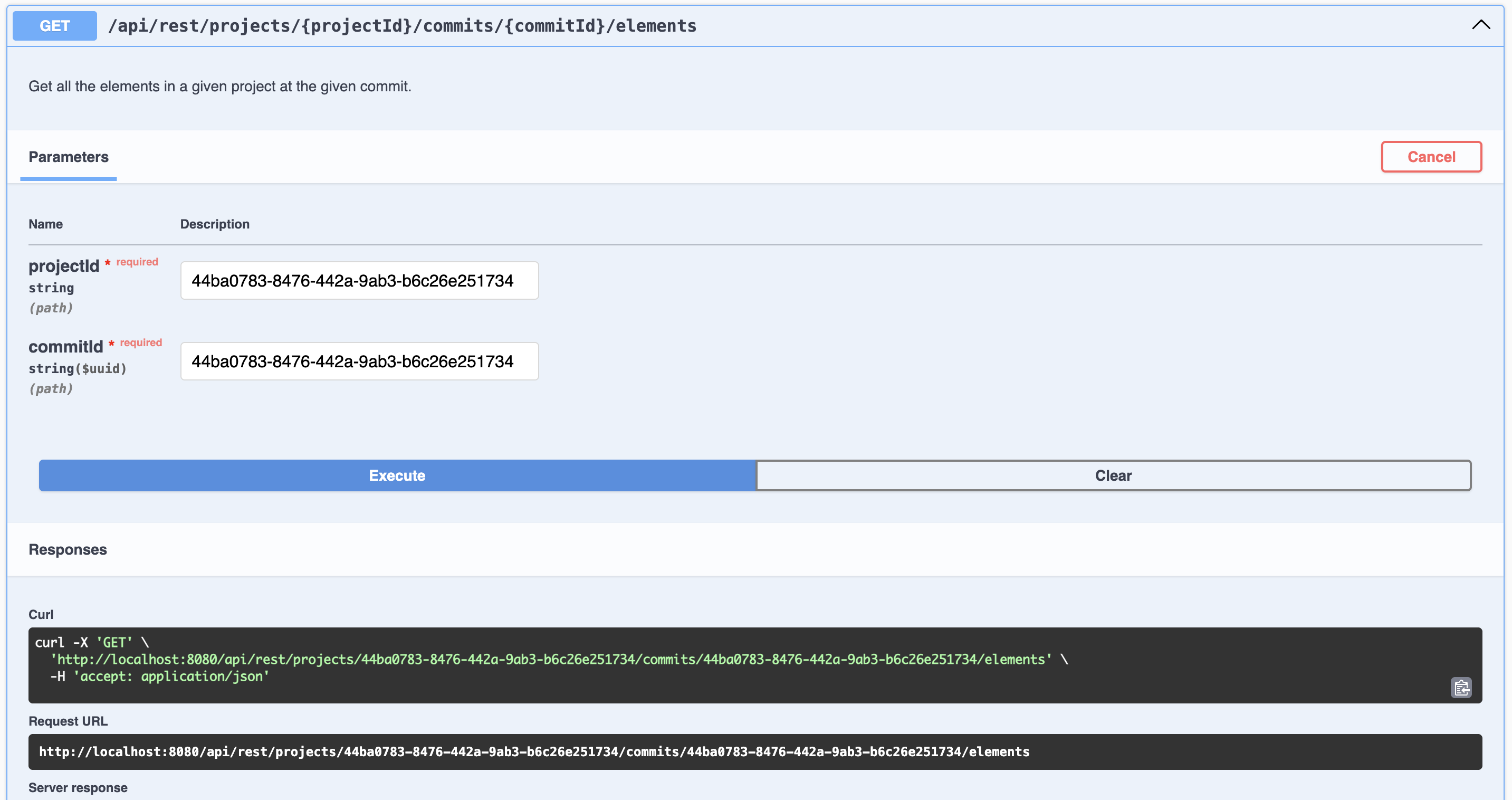
1) Let’s retrieve the elements with /elements GET request
http://localhost:8080/api/rest/projects/44ba0783-8476-442a-9ab3-b6c26e251734/commits/44ba0783-8476-442a-9ab3-b6c26e251734/elements
Replace http://localhost:8080 with the actual URL of your API server if hosted elsewhere.
|
Use the swagger UI to execute the request (or your favorite REST client):
The JSON response is:
[
  {
    "@id": "b2426313-e795-47e8-a2b2-7e29adb12a56",
    "@type": "Package",
    "declaredName": "Package1",
    "elementId": "b2426313-e795-47e8-a2b2-7e29adb12a56",
    ...
  }
]
2) Let’s add a new PartDefinition under our Package "Package1".
As you may know, with SysML v2, an Element is contained in an another Element through an intermediate Element called a Membership. In our case, an OwningMembership is the appropriate intermediate Element. So we have to add two new Elements. The containment relation between an Element and a Membership is named "ownedRelationship". The containment relation between a Membership and an Element is named "ownedRelatedElement".
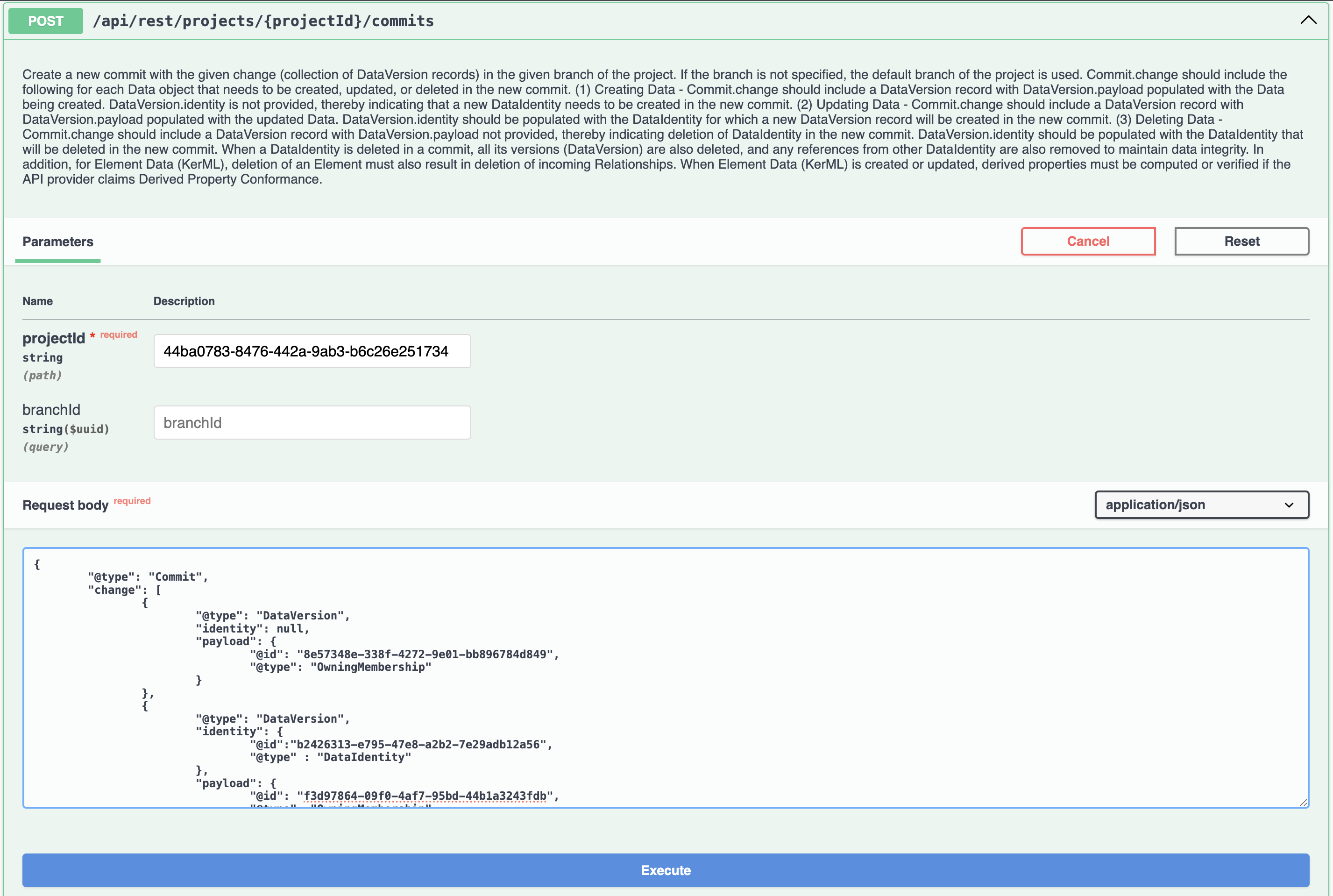
2.1) Execute the /commits POST request, allowing to create the OwningMembership:
http://localhost:8080/api/rest/projects/44ba0783-8476-442a-9ab3-b6c26e251734/commitswith the following raw JSON body:
{
	"@type": "Commit",
	"change": [
		{
			"@type": "DataVersion",
			"identity": null,
			"payload": {
				"@id": "8e57348e-338f-4272-9e01-bb896784d849", // a random ID
				"@type": "OwningMembership",
				"elementId": "8e57348e-338f-4272-9e01-bb896784d849" // the same random ID. This will be the final @id/elementId of the OwningMembership. We will use it in the next step to create the PartDefinition inside this OwningMembership.
			}
		},
		{
			"@type": "DataVersion",
			"identity": {
				"@id":"b2426313-e795-47e8-a2b2-7e29adb12a56", // Package1 elementId
				"@type" : "DataIdentity"
			},
			"payload": {
				"@id": "f3d97864-09f0-4af7-95bd-44b1a3243fdb", // a random ID
				"@type": "OwningMembership",
				"ownedRelationship": [{
					"@id": "8e57348e-338f-4272-9e01-bb896784d849" // the random ID used for the creation of the OwningMembership.
				}]
			}
		}
	]
}
Use the swagger UI to execute the request (or your favorite REST client):
The JSON response:
{
	"@id": "44ba0783-8476-442a-9ab3-b6c26e251734",
	"@type": "Commit",
	"created": "1970-01-01T00:00:00Z",
	"description": "The one and only commit for this project",
	"owningProject": {
		"@id": "44ba0783-8476-442a-9ab3-b6c26e251734"
	},
	"previousCommits": []
}
2.2) Now we have created a new OwningMembership, we can create a new PartDefinition inside it.
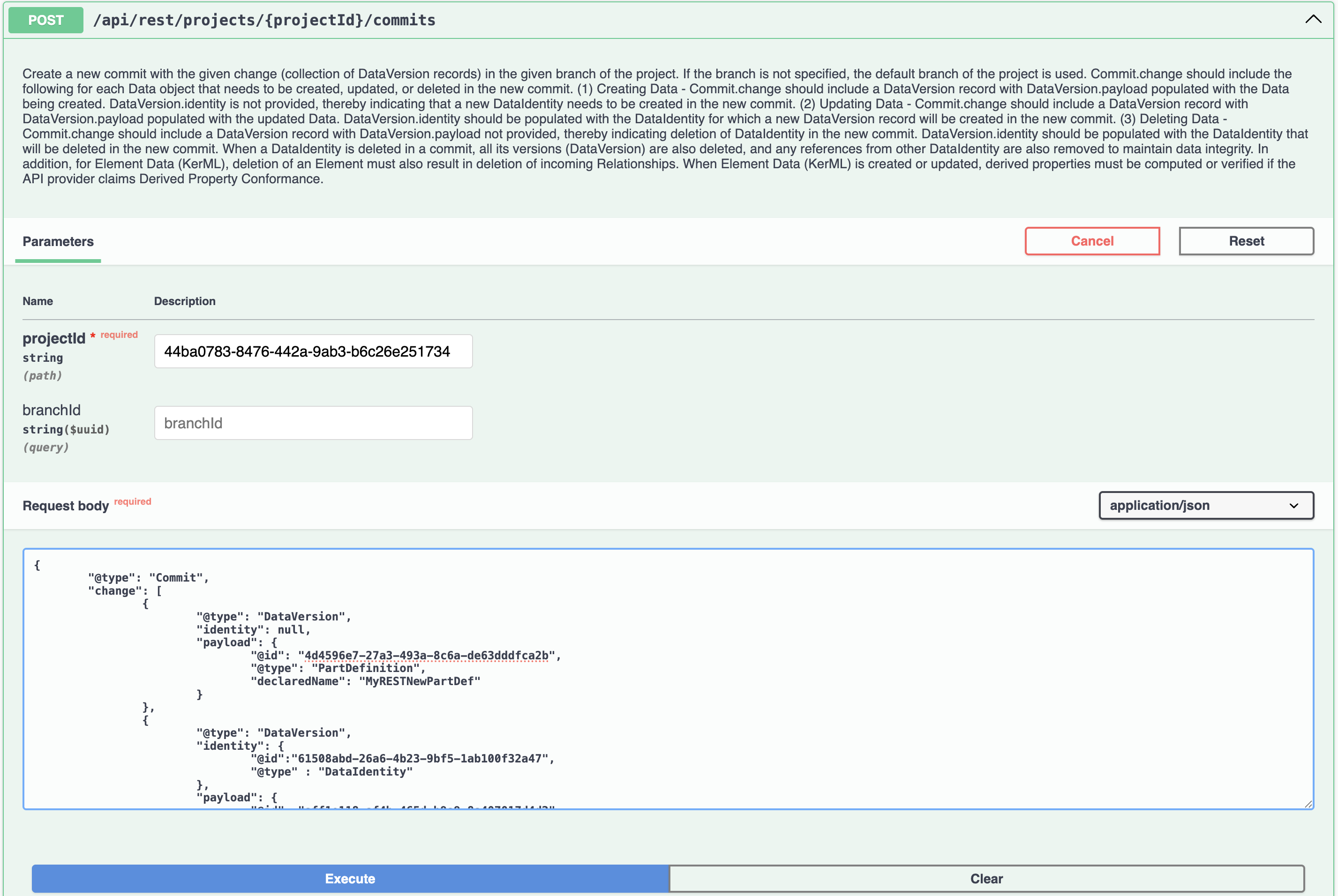
Execute the /commits POST request, allowing to create the PartDefinition:
http://localhost:8080/api/rest/projects/44ba0783-8476-442a-9ab3-b6c26e251734/commitswith the following raw JSON body:
{
	"@type": "Commit",
	"change": [
		{
			"@type": "DataVersion",
			"identity": null,
			"payload": {
				"@id": "4d4596e7-27a3-493a-8c6a-de63dddfca2b", // a random ID
				"@type": "PartDefinition",
				"declaredName": "MyRESTNewPartDef",
				"elementId": "4d4596e7-27a3-493a-8c6a-de63dddfca2b" // the same random ID. This will be the final @id/elementId of the PartDefinition.
			}
		},
		{
			"@type": "DataVersion",
			"identity": {
				"@id":"8e57348e-338f-4272-9e01-bb896784d849", //OwningMembership @id/elementId we created in the previous step
				"@type" : "DataIdentity"
			},
			"payload": {
				"@id": "aff1e118-af4b-465d-b9a9-8a407017d4d2", // a random ID
				"@type": "PartDefinition",
				"ownedRelatedElement": [{
					"@id": "4d4596e7-27a3-493a-8c6a-de63dddfca2b" // the random ID used for the creation of the PartDefinition.
				}]
			}
		}
	]
}
Use the swagger UI to execute the request (or your favorite REST client):
The JSON response:
{
	"@id": "44ba0783-8476-442a-9ab3-b6c26e251734",
	"@type": "Commit",
	"created": "1970-01-01T00:00:00Z",
	"description": "The one and only commit for this project",
	"owningProject": {
		"@id": "44ba0783-8476-442a-9ab3-b6c26e251734"
	},
	"previousCommits": []
}
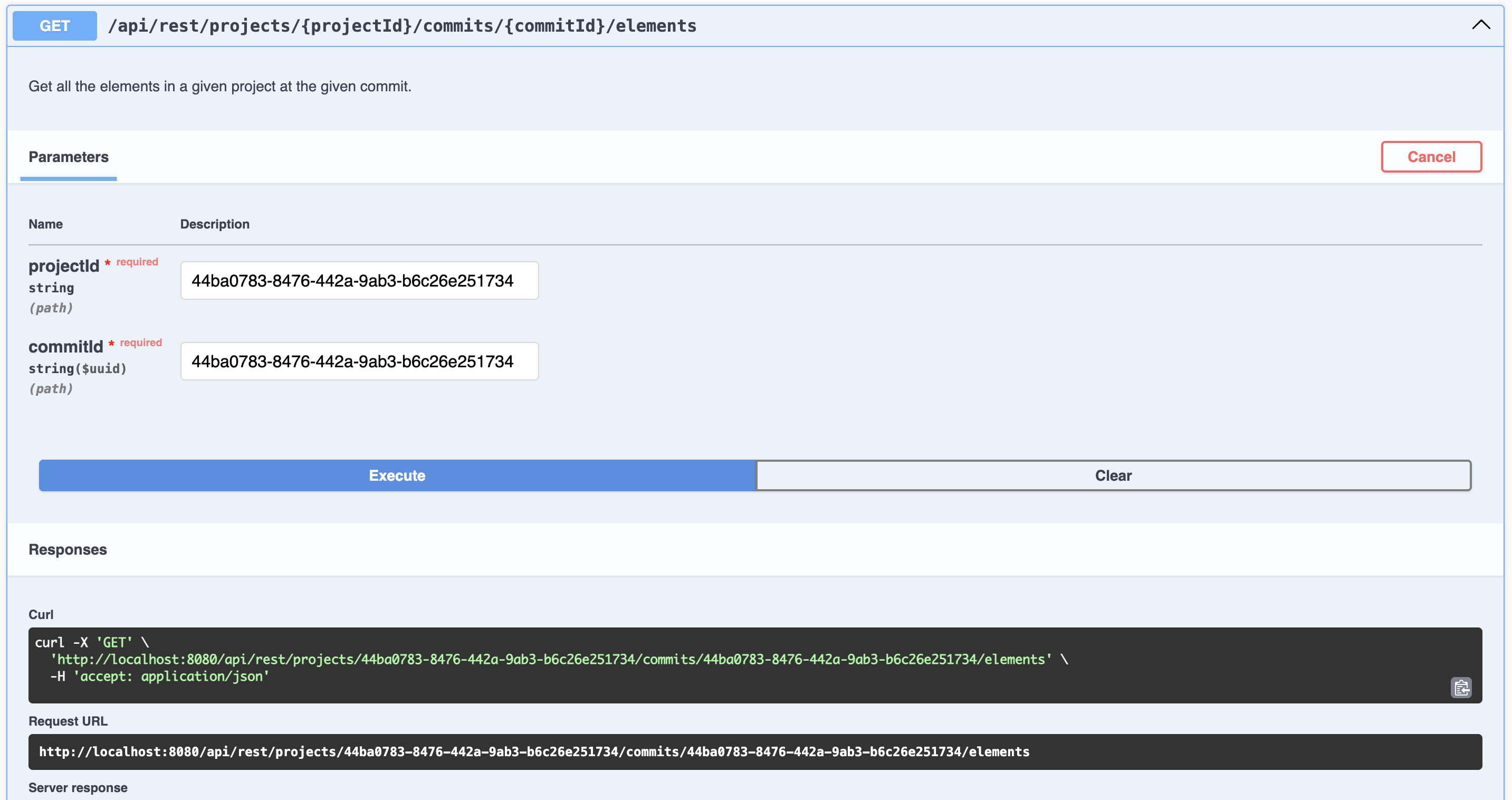
3) Finally and optionally, retrieve the elements one last with /elements GET request to confirm the new OwningMembership & PartDefinition have been created by the POST requests.
http://localhost:8080/api/rest/projects/44ba0783-8476-442a-9ab3-b6c26e251734/commits/44ba0783-8476-442a-9ab3-b6c26e251734/elementsUse the swagger UI to execute the request (or your favorite REST client):
The JSON response is:
[
  {
    "@id": "b2426313-e795-47e8-a2b2-7e29adb12a56",
    "@type": "Package",
    "declaredName": "Package1",
    "elementId": "b2426313-e795-47e8-a2b2-7e29adb12a56",
    ...
  },
  {
    "@id": "8e57348e-338f-4272-9e01-bb896784d849",
    "@type": "OwningMembership",
    "elementId": "8e57348e-338f-4272-9e01-bb896784d849",
    ...
  },
  {
    "@id": "4d4596e7-27a3-493a-8c6a-de63dddfca2b",
    "@type": "PartDefinition",
    "declaredName": "MyRESTNewPartDef",
    "elementId": "4d4596e7-27a3-493a-8c6a-de63dddfca2b",
    ...
  }
]
2.4. Create new objects from text recipe (python script)
Learn how to create and element through GraphQL API.
Each recipe includes a detailed explanation, step-by-step instructions, and sample code.
Recipes covered:
-
New objects from text: creates new objects in SysON from a textual SysMLv2 file.
2.4.1. New objects from text
This example demonstrates how to create new objects from a textual SysMLv2 file by using the SysON GraphQL API.
The script reads a SysMLv2 file, extracts its content, and creates new elements in a specified project and namespace.
Example script to create new objects from text:
###############################################################################
# Copyright (c) 2025 Obeo.
# This program and the accompanying materials
# are made available under the terms of the Eclipse Public License v2.0
# which accompanies this distribution, and is available at
# https://www.eclipse.org/legal/epl-2.0/
#
# SPDX-License-Identifier: EPL-2.0
#
# Contributors:
#     Obeo - initial API and implementation
###############################################################################

import requests (1)
import uuid
import argparse
from pathlib import Path

headers = {
    "Content-Type": "application/json"
}

GRAPHQL_ENDPOINT =  "/api/graphql"

# GraphQL query to fetch editing context and stereotypes
fetch_editing_context_query = """
query FetchEditingContext($projectId: ID!) {
  viewer {
    project(projectId: $projectId) {
      currentEditingContext {
        id
        stereotypes {
          edges {
            node {
              id
              label
            }
          }
        }
      }
    }
  }
}
"""

# GraphQL mutation for importing SysML v2 content
import_sysml_mutation = """
mutation InsertTextualSysMLv2($input: InsertTextualSysMLv2Input!) {
  insertTextualSysMLv2(input: $input) {
    __typename
    ... on SuccessPayload {
      id
    }
    ... on ErrorPayload {
        messages {
            body
            level
        }
    }
  }
}
"""

# Function to fetch the editing context
def fetch_editing_context(url, project_id): (2)
    graphql_url = f"{url}{GRAPHQL_ENDPOINT}"
    variables = {"projectId": project_id}
    response = requests.post(
        graphql_url,
        json={"query": fetch_editing_context_query, "variables": variables},
        headers=headers
    )

    if response.status_code != 200:
        print(f"Error fetching editing context: {response.status_code} - {response.text}")
        return None

    data = response.json()
    viewer = data.get("data", {}).get("viewer", {})
    project = viewer.get("project", {})
    editing_context = project.get("currentEditingContext", {})
    return editing_context

# Function to import SysML v2 content into a project
def import_sysml_to_project(url, file_path, editing_context_id, object_id): (3)
    graphql_url = f"{url}{GRAPHQL_ENDPOINT}"
    try:
        # Read the SysML v2 file
        with open(file_path, "r") as file:
            textual_content = file.read()

        # Generate a unique operation ID
        operation_id = str(uuid.uuid4())

        # Prepare mutation variables
        variables = {
            "input": {
                "id": operation_id,
                "editingContextId": editing_context_id,
                "objectId": object_id,
                "textualContent": textual_content
            }
        }

        # Send the mutation request (4)
        response = requests.post(
            graphql_url,
            json={"query": import_sysml_mutation, "variables": variables},
            headers= headers
        )

        if response.status_code != 200:
            print(f"Error importing SysML v2: {response.status_code} - {response.text}")
            return False

        data = response.json()
        result = data.get("data", {}).get("insertTextualSysMLv2", {})

        if result.get("__typename") == "SuccessPayload":
            return True
        elif result.get("__typename") == "ErrorPayload":
            messages = result.get("messages", [])
            for msg in messages:
                print(f"Error: {msg.get('body')}")
            return False
        else:
            print("Unexpected response:", data)
            return False

    except Exception as e:
        print(f"An error occurred while importing SysML v2: {e}")
        return False

if __name__ == "__main__":
    # Set up argument parsing
    parser = argparse.ArgumentParser(description="SysON new objects from text script")

    parser.add_argument(
        "url",
        nargs="?",  # Makes the argument optional
        default="http://localhost:8080",  # Default value
        help="The API base URL (e.g., http://yourSysonServerURL). Defaults to http://localhost:8080"
    )

    parser.add_argument(
        "file_path",
        type=Path,  # Ensure it's a valid path
        help="File path containing the SysML textual file to import (absolute path required)"
    )

    parser.add_argument(
        "project_id",
        type=str,
        help="The UUID of the project to import the SysML file into"
    )

    parser.add_argument(
        "namespace_elementId",
        type=str,
        help="The elementId of the SysMLv2 element under which the content of the SysMLv2 file will be imported"
    )

    args = parser.parse_args()

    # Get all function parameters (5)
    url = args.url
    file_path = args.file_path
    # Fetch editing context
    editing_context = fetch_editing_context(url, args.project_id)
    if editing_context:
        editing_context_id = editing_context["id"]
    else:
        print("Editing context not found.")
        exit()
    namespace_id = args.namespace_elementId

    # Import SysML file into the project, under the specified Namespace element
    if import_sysml_to_project(url, file_path, editing_context_id, namespace_id): (6)
        print(f"SysML v2 file imported successfully: {file_path}") (7)
    else:
        print(f"Failed to import SysML v2 file: {file_path}") (7)
What this code does:
| 1 | Import required libraries:
|
| 2 | Define the fetch_editing_context function with two parameters:
|
| 3 | Define the import_sysml_to_project function with four parameters:
|
| 4 | Sends a POST request to the API, passing all script parameters as a query parameters. |
| 5 | Constructs the API endpoint address for fetching projects. |
| 6 | Call the import_sysml_to_project function passing all script parameters as a function parameters. |
| 7 | Handles the API response:
|
Run the script:
$ python new_objects_from_text.py url-of-syson-server file-path-of-sysmlv2-file your-project-id your-namespace-elementIdFor example, to run the script, you would use the following command:
$ python new_objects_from_text.py http://localhost:8080 /Users/myUserFolder/myFolder/mySysMLv2File.sysml 76bb3f29-17d1-465a-a2ca-a331978c36f3 2c0ddeb4-b9fe-478e-951e-0ca312013a5bOutput example:
SysML v2 file imported successfully: /Users/myUserFolder/myFolder/mySysMLv2File.sysmlThen you can check the project in the SysON web application to see the newly created objects, or you can use the get_owned_element.py script to retrieve the owned elements of the project.
2.5. Import SysML file recipe (python script)
Learn how to import a textual SysML file into an existing SysON project through the Sirius Web GraphQL API. Each recipe includes a detailed explanation, step-by-step instructions, and sample code.
Recipes covered:
-
Import a SysML file: imports a
.sysmlfile as a document in a SysON project.
2.5.1. Import a SysML file
This example demonstrates how to upload a .sysml file by using the Sirius Web uploadDocument GraphQL mutation.
The script fetches the editing context of the selected project, uploads the file with a multipart GraphQL request, and lets SysON convert the textual SysML content into a model document.
|
If the file depends on other SysML or KerML files, import those dependencies first. Otherwise, some relationships may remain unresolved. |
Example script to import a SysML file:
###############################################################################
# Copyright (c) 2026 Obeo.
# This program and the accompanying materials
# are made available under the terms of the Eclipse Public License v2.0
# which accompanies this distribution, and is available at
# https://www.eclipse.org/legal/epl-2.0/
#
# SPDX-License-Identifier: EPL-2.0
#
# Contributors:
#     Obeo - initial API and implementation
###############################################################################

import argparse
import json
import uuid
from pathlib import Path

import requests  (1)


GRAPHQL_ENDPOINT = "/api/graphql"
GRAPHQL_UPLOAD_ENDPOINT = "/api/graphql/upload"


fetch_editing_context_query = """
query FetchEditingContext($projectId: ID!) {
  viewer {
    project(projectId: $projectId) {
      currentEditingContext {
        id
      }
    }
  }
}
"""


upload_document_mutation = """
mutation UploadDocument($input: UploadDocumentInput!) {
  uploadDocument(input: $input) {
    __typename
    ... on UploadDocumentSuccessPayload {
      id
      report
    }
    ... on ErrorPayload {
      messages {
        body
        level
      }
    }
  }
}
"""


def get_graphql_url(url):
    return f"{url.rstrip('/')}{GRAPHQL_ENDPOINT}"


def get_graphql_upload_url(url):
    return f"{url.rstrip('/')}{GRAPHQL_UPLOAD_ENDPOINT}"


def print_graphql_errors(data):
    errors = data.get("errors", [])
    for error in errors:
        print(f"GraphQL error: {error.get('message', error)}")


def fetch_editing_context_id(url, project_id):  (2)
    response = requests.post(
        get_graphql_url(url),
        json={
            "query": fetch_editing_context_query,
            "variables": {"projectId": project_id},
        },
    )

    if response.status_code != 200:
        print(f"Error fetching editing context: {response.status_code} - {response.text}")
        return None

    data = response.json()
    if data.get("errors"):
        print_graphql_errors(data)
        return None

    project = data.get("data", {}).get("viewer", {}).get("project")
    if not project:
        print(f"Project not found: {project_id}")
        return None

    editing_context = project.get("currentEditingContext")
    if not editing_context:
        print(f"Editing context not found for project: {project_id}")
        return None

    return editing_context.get("id")


def print_messages(messages):
    for message in messages:
        print(f"{message.get('level', 'INFO')}: {message.get('body', '')}")


def import_sysml_file(url, file_path, editing_context_id, read_only):  (3)
    operation_id = str(uuid.uuid4())
    operations = {
        "query": upload_document_mutation,
        "variables": {
            "input": {
                "id": operation_id,
                "editingContextId": editing_context_id,
                "file": None,
                "readOnly": read_only,
            }
        },
    }
    file_map = {
        "0": "variables.file"
    }

    with open(file_path, "rb") as file:
        response = requests.post(  (4)
            get_graphql_upload_url(url),
            data={
                "operations": json.dumps(operations),
                "map": json.dumps(file_map),
            },
            files={
                "0": (file_path.name, file, "text/plain"),
            },
        )

    if response.status_code not in (200, 201):
        print(f"Error importing SysML file: {response.status_code} - {response.text}")
        return False

    data = response.json()
    if data.get("errors"):
        print_graphql_errors(data)
        return False

    payload = data.get("data", {}).get("uploadDocument", {})
    if payload.get("__typename") == "UploadDocumentSuccessPayload":
        print(f"SysML file imported successfully: {file_path}")
        report = payload.get("report")
        if report:
            print("Import report:")
            print(report)
        return True

    if payload.get("__typename") == "ErrorPayload":
        print_messages(payload.get("messages", []))
        return False

    print(f"Unexpected response: {data}")
    return False


def parse_arguments():
    parser = argparse.ArgumentParser(description="Import a SysML textual file into a SysON project")
    parser.add_argument(
        "arguments",
        nargs="+",
        help="Either: file-path project-id, or: url file-path project-id",
    )
    parser.add_argument(
        "--read-only",
        action="store_true",
        help="Import the uploaded document as read-only",
    )
    args = parser.parse_args()

    if len(args.arguments) == 2:
        args.url = "http://localhost:8080"
        args.file_path = Path(args.arguments[0])
        args.project_id = args.arguments[1]
    elif len(args.arguments) == 3:
        args.url = args.arguments[0]
        args.file_path = Path(args.arguments[1])
        args.project_id = args.arguments[2]
    else:
        parser.error("expected either: file-path project-id, or: url file-path project-id")

    return args


if __name__ == "__main__":
    args = parse_arguments()
    file_path = args.file_path.expanduser().resolve()

    if not file_path.is_file():
        print(f"File not found: {file_path}")
        exit(1)

    editing_context_id = fetch_editing_context_id(args.url, args.project_id)  (5)
    if not editing_context_id:
        exit(1)

    if not import_sysml_file(args.url, file_path, editing_context_id, args.read_only):  (6)
        exit(1)
What this code does:
| 1 | Import required libraries:
|
| 2 | Define the fetch_editing_context_id function with two parameters:
|
| 3 | Define the import_sysml_file function with four parameters:
|
| 4 | Sends a POST request to /api/graphql/upload with the GraphQL multipart request format used by Sirius Web. |
| 5 | Fetches the editing context ID from the project ID. |
| 6 | Calls the import function and exits with an error code if the import fails. |
Run the script:
$ python import_sysml_file.py file-path-of-sysml-file your-project-id
$ python import_sysml_file.py url-of-syson-server file-path-of-sysml-file your-project-id
For example, to import a file into a local SysON server:
$ python import_sysml_file.py /Users/myUserFolder/myFolder/mySysMLv2File.sysml 76bb3f29-17d1-465a-a2ca-a331978c36f3Output example:
SysML file imported successfully: /Users/myUserFolder/myFolder/mySysMLv2File.sysmlIf the server returns an import report, the script prints it after the success message. Then you can check the project in the SysON web application to see the imported document.
2.6. Retrieve project documents recipe (python script)
Learn how to retrieve the list of documents from a SysON project through the Sirius Web HTTP API. Each recipe includes a detailed explanation, step-by-step instructions, and sample code.
Recipes covered:
-
Retrieve project documents: downloads a project archive and prints the document names and ids found in its manifest.
2.6.1. Retrieve project documents
This example demonstrates how to download a project archive and inspect its manifest.json file to retrieve the documents associated with the project.
The manifest contains a documentIdsToName entry that maps each document UUID to its corresponding document name.
|
The |
Example script to retrieve the documents of a project:
###############################################################################
# Copyright (c) 2026 Obeo.
# This program and the accompanying materials
# are made available under the terms of the Eclipse Public License v2.0
# which accompanies this distribution, and is available at
# https://www.eclipse.org/legal/epl-2.0/
#
# SPDX-License-Identifier: EPL-2.0
#
# Contributors:
#     Obeo - initial API and implementation
###############################################################################

import argparse
import io
import json
import zipfile

import requests  (1)


PROJECT_DOWNLOAD_ENDPOINT = "/api/projects/{project_id}"


def get_project_download_url(url, project_id):
    return f"{url.rstrip('/')}{PROJECT_DOWNLOAD_ENDPOINT.format(project_id=project_id)}"


def download_project_archive(url, project_id):  (2)
    response = requests.get(
        get_project_download_url(url, project_id),  (3)
        stream=True,
    )

    if response.status_code != 200:
        print(f"Error downloading project archive: {response.status_code} - {response.text}")
        return None

    archive_content = io.BytesIO()
    for chunk in response.iter_content(chunk_size=8192):
        if chunk:
            archive_content.write(chunk)

    archive_content.seek(0)
    with zipfile.ZipFile(archive_content) as archive:
        manifest_name = None
        for entry_name in archive.namelist():
            if entry_name.endswith("/manifest.json"):
                manifest_name = entry_name
                break

        if not manifest_name:
            print("manifest.json not found in the project archive")
            return None

        with archive.open(manifest_name) as manifest_file:
            manifest = json.load(io.TextIOWrapper(manifest_file, encoding="utf-8"))  (4)

    document_ids_to_name = manifest.get("documentIdsToName", {})
    if not document_ids_to_name:
        print("No documents found in the project manifest")
        return []

    documents = sorted(document_ids_to_name.items(), key=lambda item: item[1].lower())
    return documents


def parse_arguments():
    parser = argparse.ArgumentParser(description="Retrieve the documents of a SysON project")
    parser.add_argument(
        "arguments",
        nargs="+",
        help="Either: project-id, or: url project-id",
    )
    args = parser.parse_args()

    if len(args.arguments) == 1:
        args.url = "http://localhost:8080"
        args.project_id = args.arguments[0]
    elif len(args.arguments) == 2:
        args.url = args.arguments[0]
        args.project_id = args.arguments[1]
    else:
        parser.error("expected either: project-id, or: url project-id")

    return args


if __name__ == "__main__":
    args = parse_arguments()
    documents = download_project_archive(args.url, args.project_id)

    if documents is None:
        raise SystemExit(1)

    for document_id, document_name in documents:  (5)
        print(f"Document Name: {document_name}, Document ID: {document_id}")
What this code does:
| 1 | Import required libraries:
|
| 2 | Define the download_project_archive function with two parameters:
|
| 3 | Sends a GET request to /api/projects/{projectId} so the server returns the project archive as a ZIP file. |
| 4 | Reads the manifest.json file from the downloaded archive and extracts the documentIdsToName mapping. |
| 5 | Prints the document ids and names in a stable order so the output is easy to read and reuse. |
Run the script:
$ python retrieve_project_documents.py project-id
$ python retrieve_project_documents.py url-of-syson-server project-id
For example, to retrieve the documents of a local SysON project:
$ python retrieve_project_documents.py 76bb3f29-17d1-465a-a2ca-a331978c36f3Output example:
Document Name: SysMLv2.sysml, Document ID: 3cb6f3b1-8a10-41b7-9a08-d32b66e28c6f
Document Name: Requirements.sysml, Document ID: 7f4b9d33-0f4d-4b79-a6f8-8bc12edb9d1d
Then you can reuse the retrieved document ids in recipes such as download a SysML file.
2.7. Download SysML file recipe (python script)
Learn how to download a textual SysML file from an existing SysON project through the Sirius Web HTTP API. Each recipe includes a detailed explanation, step-by-step instructions, and sample code.
Recipes covered:
-
Download a SysML file: downloads a
.sysmlfile from a SysON document and saves it locally.
2.7.1. Download a SysML file
This example demonstrates how to download a .sysml file by calling the Sirius Web document download endpoint directly.
The script fetches the editing context of the selected project, downloads the document with an HTTP GET request, and stores the textual SysML content in a local file.
It uses the Accept: text/html header because this is the media type currently used by SysON to select the textual SysML exporter.
|
The |
Example script to download a SysML file:
###############################################################################
# Copyright (c) 2026 Obeo.
# This program and the accompanying materials
# are made available under the terms of the Eclipse Public License v2.0
# which accompanies this distribution, and is available at
# https://www.eclipse.org/legal/epl-2.0/
#
# SPDX-License-Identifier: EPL-2.0
#
# Contributors:
#     Obeo - initial API and implementation
###############################################################################

import argparse
from pathlib import Path

import requests  (1)


GRAPHQL_ENDPOINT = "/api/graphql"
DOWNLOAD_ENDPOINT = "/api/editingcontexts/{editing_context_id}/documents/{document_id}"


fetch_editing_context_query = """
query FetchEditingContext($projectId: ID!) {
  viewer {
    project(projectId: $projectId) {
      currentEditingContext {
        id
      }
    }
  }
}
"""


def get_graphql_url(url):
    return f"{url.rstrip('/')}{GRAPHQL_ENDPOINT}"


def get_download_url(url, editing_context_id, document_id):
    return f"{url.rstrip('/')}{DOWNLOAD_ENDPOINT.format(editing_context_id=editing_context_id, document_id=document_id)}"


def print_graphql_errors(data):
    errors = data.get("errors", [])
    for error in errors:
        print(f"GraphQL error: {error.get('message', error)}")


def fetch_editing_context_id(url, project_id):  (2)
    response = requests.post(
        get_graphql_url(url),
        json={
            "query": fetch_editing_context_query,
            "variables": {"projectId": project_id},
        },
    )

    if response.status_code != 200:
        print(f"Error fetching editing context: {response.status_code} - {response.text}")
        return None

    data = response.json()
    if data.get("errors"):
        print_graphql_errors(data)
        return None

    project = data.get("data", {}).get("viewer", {}).get("project")
    if not project:
        print(f"Project not found: {project_id}")
        return None

    editing_context = project.get("currentEditingContext")
    if not editing_context:
        print(f"Editing context not found for project: {project_id}")
        return None

    return editing_context.get("id")


def download_sysml_file(url, project_id, document_id, output_path):  (3)
    editing_context_id = fetch_editing_context_id(url, project_id)  (6)
    if not editing_context_id:
        return False

    response = requests.get(
        get_download_url(url, editing_context_id, document_id),  (4)
        headers={"Accept": "text/html"},
        stream=True,  (5)
    )

    if response.status_code != 200:
        print(f"Error downloading SysML file: {response.status_code} - {response.text}")
        return False

    output_path.parent.mkdir(parents=True, exist_ok=True)
    with open(output_path, "wb") as file:
        for chunk in response.iter_content(chunk_size=8192):
            if chunk:
                file.write(chunk)

    print(f"SysML file downloaded successfully: {output_path}")
    return True


def parse_arguments():
    parser = argparse.ArgumentParser(description="Download a SysML textual file from a SysON project")
    parser.add_argument(
        "arguments",
        nargs="+",
        help="Either: project-id document-id output-path, or: url project-id document-id output-path",
    )
    args = parser.parse_args()

    if len(args.arguments) == 3:
        args.url = "http://localhost:8080"
        args.project_id = args.arguments[0]
        args.document_id = args.arguments[1]
        args.output_path = Path(args.arguments[2])
    elif len(args.arguments) == 4:
        args.url = args.arguments[0]
        args.project_id = args.arguments[1]
        args.document_id = args.arguments[2]
        args.output_path = Path(args.arguments[3])
    else:
        parser.error("expected either: project-id document-id output-path, or: url project-id document-id output-path")

    return args


if __name__ == "__main__":
    args = parse_arguments()
    output_path = args.output_path.expanduser().resolve()

    if not download_sysml_file(args.url, args.project_id, args.document_id, output_path):  (7)
        exit(1)
What this code does:
| 1 | Import required libraries:
|
| 2 | Define the fetch_editing_context_id function with two parameters:
|
| 3 | Define the download_sysml_file function with four parameters:
|
| 4 | Sends a GET request to /api/editingcontexts/{editingContextId}/documents/{documentId} with the Accept: text/html header so the server returns the textual SysML export. |
| 5 | Streams the response body into the output file so large models do not need to be buffered entirely in memory. |
| 6 | Fetches the editing context ID from the project ID. |
| 7 | Calls the download function and exits with an error code if the download fails. |
Run the script:
$ python download_sysml_file.py project-id document-id output-file.sysml
$ python download_sysml_file.py url-of-syson-server project-id document-id output-file.sysml
For example, to download a file from a local SysON server:
$ python download_sysml_file.py 76bb3f29-17d1-465a-a2ca-a331978c36f3 3cb6f3b1-8a10-41b7-9a08-d32b66e28c6f /Users/myUserFolder/myFolder/mySysMLv2File.sysmlOutput example:
SysML file downloaded successfully: /Users/myUserFolder/myFolder/mySysMLv2File.sysmlThen you can open the downloaded .sysml file in your editor or share it with other tools.
2.8. Delete element recipe (python script)
Learn how to delete an element programmatically. Each recipe includes a detailed explanation, step-by-step instructions, and sample code.
Recipes covered:
-
Delete an element: Delete an element from a project by creating a commit.
2.8.1. Delete an element
This example demonstrates how to delete an existing element by using the SysON REST API. The script first fetches the latest commit of the target project, retrieves the element to confirm it exists, and then creates a new commit containing a deletion change for that element. After the commit is created, the script verifies that the element is no longer accessible in the latest commit.
|
To delete an element through the commit API, send a |
Example script to delete an element:
# These examples are adapted from the SysML v2 API Cookbook, available at
# https://github.com/Systems-Modeling/SysML-v2-API-Cookbook, maintained by the
# Object Management Group (OMG).
# The original cookbook is designed for use with Jupyter Lab.
# These examples have been adapted to run as standalone Python scripts, making
# them suitable for use in various environments, including SysON.
# They showcase practical usage scenarios and may include additional functionality
# or modifications tailored to specific needs.

import requests  (1)
from init_api import parse_arguments
from init_api import init_sysmlv2_api
from fetch_commits import get_last_commit_id


def fetch_element(host, project_id, commit_id, element_id):  (2)
    element_url = f"{host}/projects/{project_id}/commits/{commit_id}/elements/{element_id}"  (3)
    response = requests.get(element_url)  (4)
    if response.status_code == 200:
        return response.json()

    print(f"Unable to fetch element: {response.status_code} - {response.text}")
    return None


def delete_element(host, project_id, element_id):  (5)
    commit_id = get_last_commit_id(host, project_id)
    if not commit_id:
        print("Deletion aborted: unable to determine the latest commit.")
        return False

    element = fetch_element(host, project_id, commit_id, element_id)
    if not element:
        print(f"Deletion aborted: element '{element_id}' was not found.")
        return False

    print(
        f"Deleting element '{element.get('name') or 'N/A'}' "
        f"(id = {element['@id']}, type = {element['@type']})"
    )

    commit_url = f"{host}/projects/{project_id}/commits"  (6)
    commit_body = {
        "@type": "Commit",
        "change": [
            {
                "@type": "DataVersion",
                "identity": {
                    "@id": element_id,
                    "@type": "DataIdentity",
                },
            }
        ],
    }  (7)

    response = requests.post(commit_url, json=commit_body)  (8)
    if response.status_code != 201:
        print(f"Error deleting element: {response.status_code} - {response.text}")
        return False

    print("Delete commit created successfully.")

    new_commit_id = get_last_commit_id(host, project_id)  (9)
    if not new_commit_id:
        print("Deletion verification skipped: unable to determine the latest commit.")
        return True

    verification_url = f"{host}/projects/{project_id}/commits/{new_commit_id}/elements/{element_id}"
    verification_response = requests.get(verification_url)  (10)
    if verification_response.status_code == 404:
        print(f"Element '{element_id}' deleted successfully.")
        return True

    print(
        "Deletion verification failed: "
        f"the element is still accessible ({verification_response.status_code})."
    )
    return False


if __name__ == "__main__":
    args = parse_arguments()
    host = init_sysmlv2_api()
    project_id = args.project_id
    element_id = args.element_id

    if not element_id:
        raise SystemExit("Usage: python delete_element.py <project-id> <element-id>")

    delete_element(host, project_id, element_id)
What this code does:
| 1 | Import required libraries:
|
| 2 | Define the fetch_element function with four parameters:
|
| 3 | Constructs the API endpoint URL for retrieving a single element. |
| 4 | Sends a GET request to confirm the element exists before trying to delete it. |
| 5 | Define the delete_element function with three parameters:
|
| 6 | Constructs the API endpoint URL for creating a commit. |
| 7 | Builds the commit payload for deletion by setting identity and omitting payload. |
| 8 | Sends a POST request to create the delete commit. |
| 9 | Fetches the latest commit again after the delete operation. |
| 10 | Verifies the deletion by checking that the element endpoint returns 404. |
Run the script:
$ python delete_element.py your-project-id your-element-idOutput example:
Commit ID: 63a03bd8-a81a-4818-801a-01790ce8a086
Last Commit ID: 63a03bd8-a81a-4818-801a-01790ce8a086
Deleting element 'battery' (id = 7d5e52f4-6fd0-4f3b-9daa-9cb7f0c3e501, type = PartUsage)
Delete commit created successfully.
Commit ID: 63a03bd8-a81a-4818-801a-01790ce8a086
Commit ID: 6f70be18-0117-4e2d-b947-a6bbf2981b63
Last Commit ID: 6f70be18-0117-4e2d-b947-a6bbf2981b63
Element '7d5e52f4-6fd0-4f3b-9daa-9cb7f0c3e501' deleted successfully.