Developer guide
This developer guide provides step-by-step instructions on how to set up your developer environment, contribute to the codebase, and enhance the capability of SysON.
1. Retrieving the Source Code
SysON is built upon the Eclipse Sirius Web project. SysON is licensed under the (EPL v2) Open Source license The source code is openly accessible on GitHub:https://github.com/eclipse-syson/syson
To get the source code, clone the repository using either SSH:
git clone git@github.com:eclipse-syson/syson.gitor HTTPS:
git clone https://github.com/eclipse-syson/syson.gitOn MS Windows, you also have to set the following git config (apply from the root of the repositories):
git config core.autocrlf true
git config core.eol lf
2. Setting Up your Development Environment
2.1. Backend
2.1.1. Java
All SysON backend modules use Java. The current version used by SysON is Java 17.
You can download Java 17 JDK here: https://adoptium.net/temurin/archive/
Then, you can test that your favorite shell is using Java 17 by applying this command (from anywhere):
java --version2.1.2. Apache Maven
All SysON backend modules are exposed as Maven artifacts. The minimum version is Maven 3.6.3, but please download the latest 3.x version and try to stay up-to-date.
You can download Maven here: https://maven.apache.org/download.cgi
You can follow the install instructions here: https://maven.apache.org/install.html
Then, you can test that your favorite shell knows Maven by applying this command (from anywhere):
mvn --version2.1.3. Github and Github Personal Access Token
You will need a github account and a github personal access token.
Indeed, the backend components of SysON depends on sirius-web and sirius-emf-json, which are published as Maven artifacts in GitHub Packages.
To build SysON locally, you need a GitHub Access Token so that Maven can download the sirius-web and sirius-emf-json artifacts.
-
Create a personal token with a scope of
read:packageby following the GitHub documentation if you do not have one already.Once generated, a token cannot be displayed anymore, so make sure to copy it in a secure location. -
Create or edit
$HOME/.m2/settings.xmlto tell Maven to use this token when accessing thesirius-emf-json/sirius-web/sysonrepositories:<?xml version="1.0" encoding="UTF-8"?> <settings xmlns="http://maven.apache.org/SETTINGS/1.0.0" xmlns:xsi="http://www.w3.org/2001/XMLSchema-instance" xsi:schemaLocation="http://maven.apache.org/SETTINGS/1.0.0 https://maven.apache.org/xsd/settings-1.0.0.xsd"> <servers> <server> <id>github-sirius-emfjson</id> <username>$GITHUB_USERNAME</username> <password>$GITHUB_ACCESS_TOKEN</password> </server> <server> <id>github-sirius-web</id> <username>$GITHUB_USERNAME</username> <password>$GITHUB_ACCESS_TOKEN</password> </server> <server> <id>github-syson</id> <username>$GITHUB_USERNAME</username> <password>$GITHUB_ACCESS_TOKEN</password> </server> </servers> </settings>Be sure to replace
$GITHUB_USERNAMEwith your GitHub user id, and$GITHUB_ACCESS_TOKENwith the value of your access token.The idused in yoursettings.xmlmust begithub-sirius-emfjson,github-sirius-webandgithub-sysonto match what is used in the POMs.
2.1.4. Docker
Docker is the preferred way to install and manage the PostgreSQL database used by SysON.
You can download Docker here: https://www.docker.com/products/docker-desktop/. On most Linux distribution, Docker is packaged and can be installed directly.
Please download the latest version and try to stay up-to-date.
Then, you can test that your favorite shell knows Docker by applying this command (from anywhere):
docker --versionWhen developing SysON, you can execute the following shell command (from anywhere):
docker run -p 5433:5432 --rm --name syson-postgres \
                             -e POSTGRES_USER=dbuser \
                             -e POSTGRES_PASSWORD=dbpwd \
                             -e POSTGRES_DB=syson-db \
                             -d postgres:15
It will setup a PostgreSQL instance with the appropriate parameters to locally test the SysON application.
2.1.5. Development with Spring Tools 4 for Eclipse
If you want to develop with Eclipse, you will need Spring Tools 4 for Eclipse.
You can download Spring Tools 4 for Eclipse here: https://spring.io/tools
Please download the latest version and try to stay up-to-date.
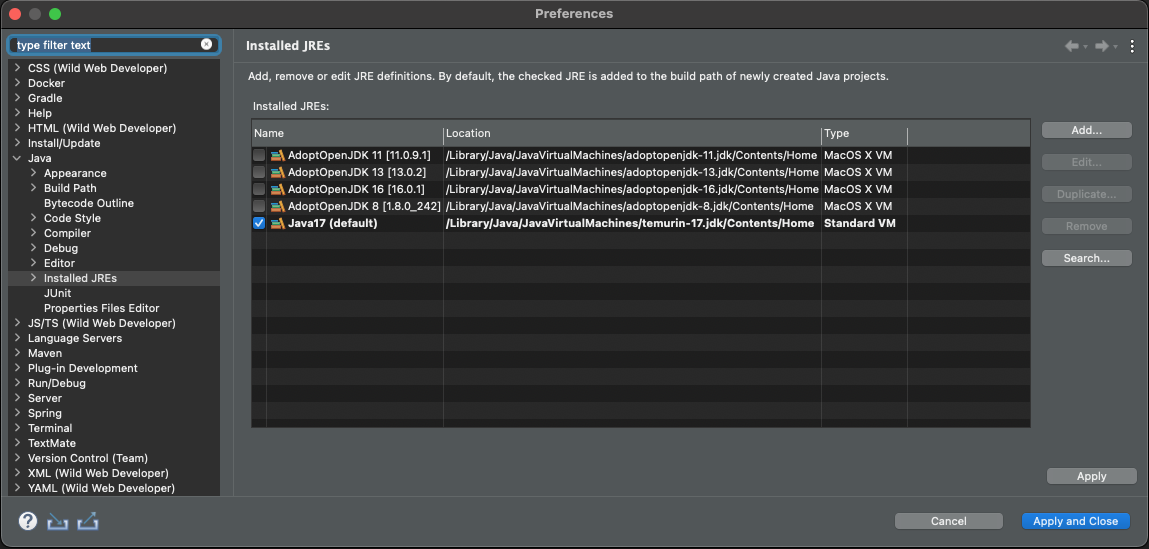
Once launched, please check that your Eclipse is using Java 17. Go to Window > Preferences menu (or SpringToolSuite4 > Settings on macOS) and then Java > Installed JREs.
Checkstyle plugin
All SysON backend modules use Checkstyle to verify formatting, coding rules… so you must install Checkstyle plugin in Eclipse. The version to use is the latest 10.x.y.
Go to Help > Install New Software… menu, then add https://checkstyle.org/eclipse-cs-update-site/ in the Work with: select widget and type enter. Then, select Eclipse Checkstyle Plug-in, click on Next >, Next >, accept the terms of the license agreement and click on Finish.
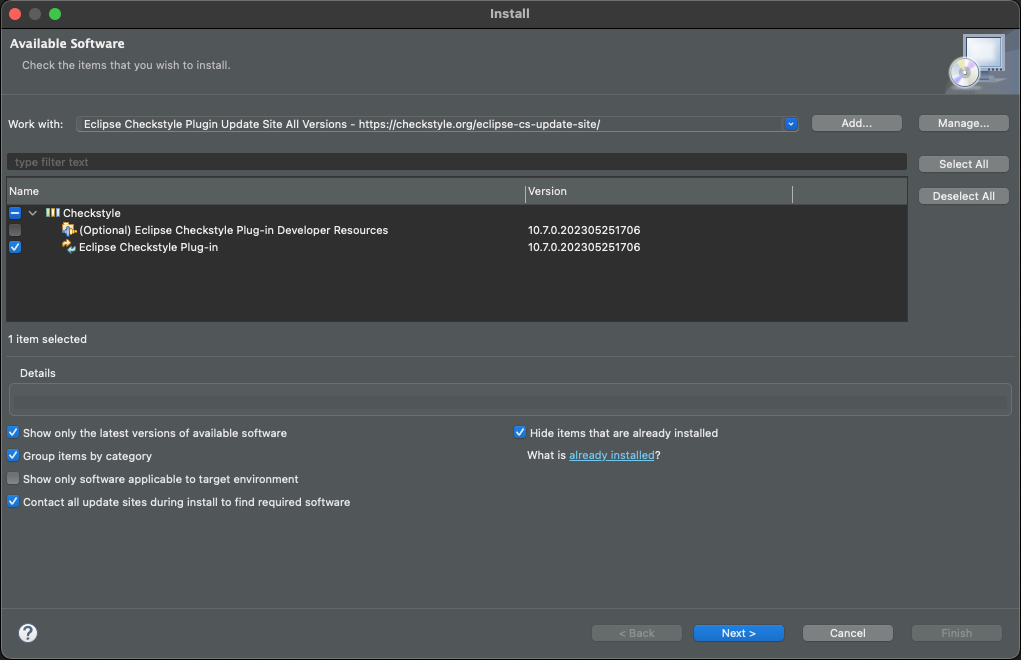
Trust all available authorities and artifacts, and restart your Eclipse when asked.
EMF plugins
Some SysON backend modules use EMF ecore metamodels. At some point, you may need to modify those metamodels. To do that, you will need EMF plugins. The version to use is the latest available from the update-site below.
Go to Help > Install New Software… menu, then select https://download.eclipse.org/modeling/emf/emf/builds/release/latest in the Work with: select widget and type enter. Then, select Modeling > EMF - Eclipse Modeling Framework SDK, click on Next >, Next >, accept the terms of the license agreement and click on Finish.
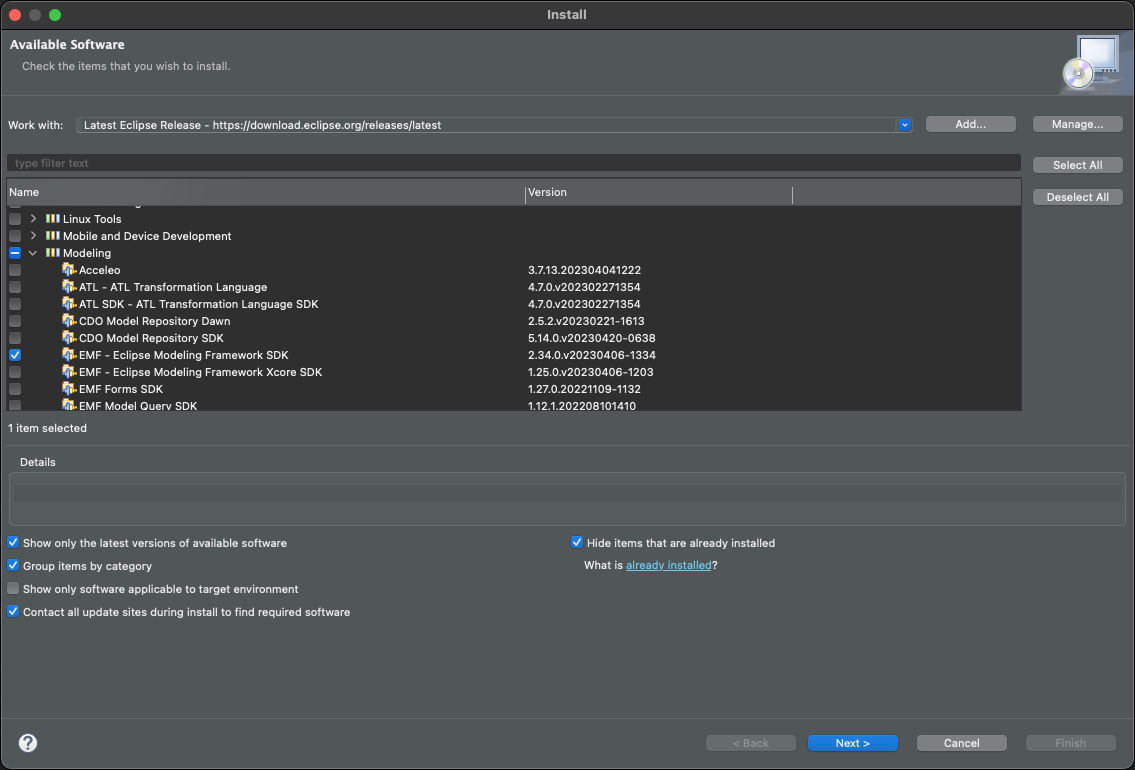
Restart your Eclipse when asked.
Configuration
You need tell Eclipse to use the SysON code style configuration files.
Go to Window > Preferences menu (or SpringToolSuite4 > Settings on macOS).
-
Configure the Clean up action
From the preferences menu, go to Java > Code Style > Clean Up and then click on the Import… button and then browse the CleanupProfile.xml file located in
backend/releng/syson-resources/editorin your SysON local repository: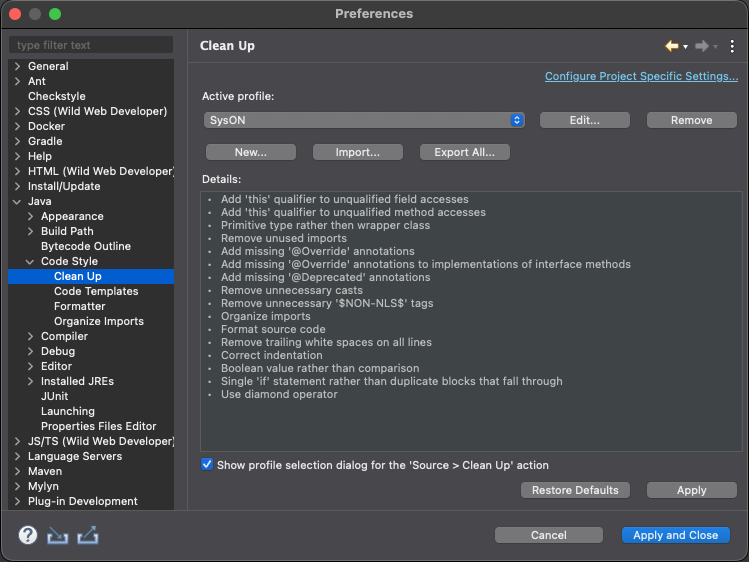
Be sure the the active profile is
SysON, then click on the Apply button. -
Configure the source code templates
From the preferences menu, go to Java > Code Style > Code Templates and then click on the Import… button and then browse the codetemplates.xml file located in
backend/releng/syson-resources/editorin your SysON local repository: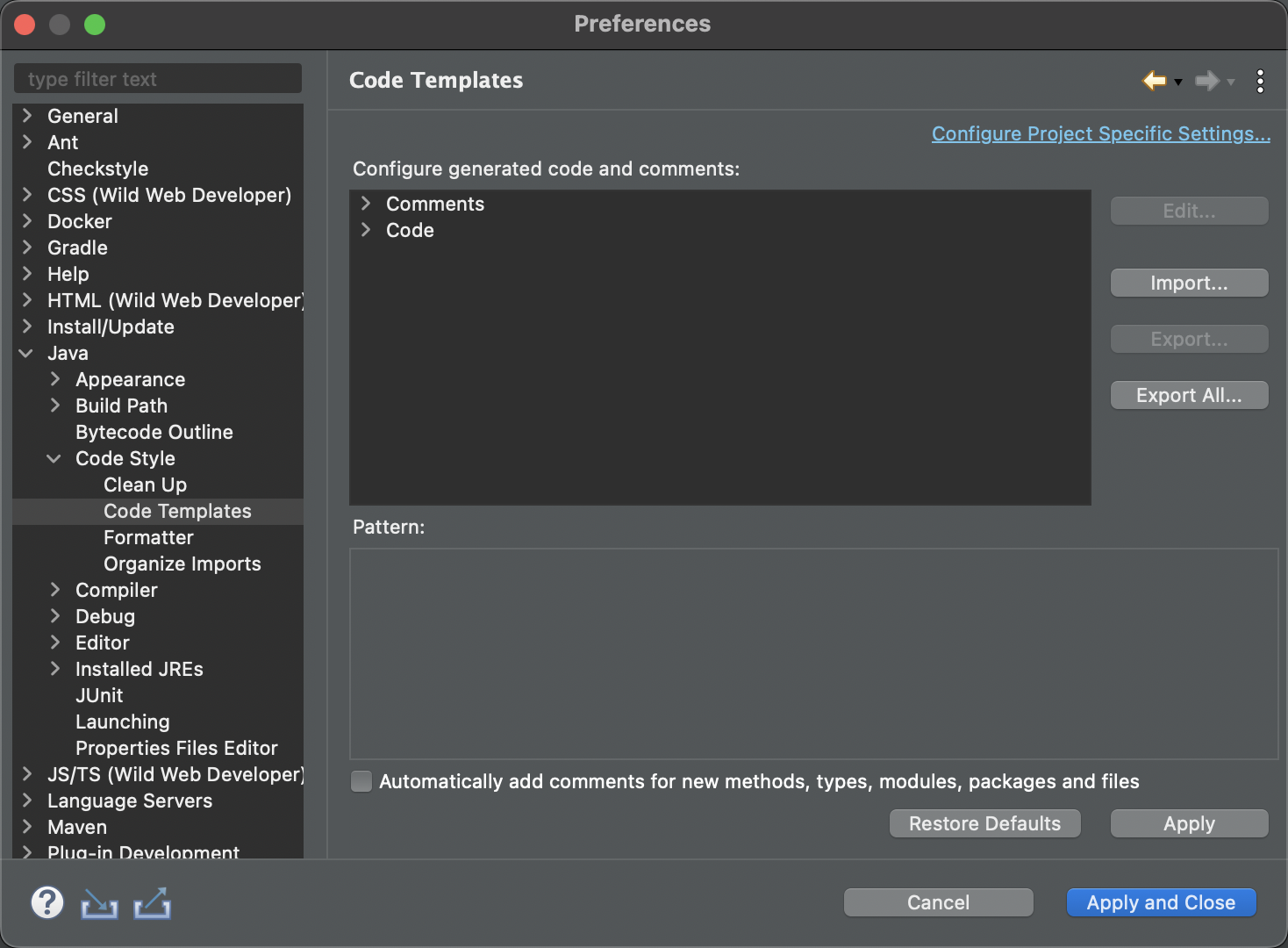
Click on the Apply button.
-
Configure the source code formatter
From the preferences menu, go to Java > Code Style > Formatter and then click on the Import… button and then browse the JavaFormatter.xml file located in
backend/releng/syson-resources/editorin your SysON local repository: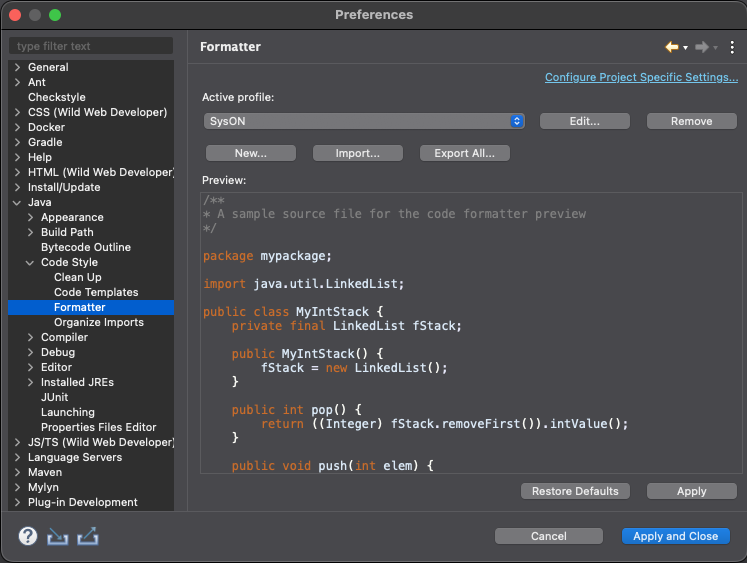
Be sure the the active profile is
SysON, then click on the Apply button. -
Configure the Organize Imports action
From the preferences menu, go to Java > Code Style > Organize Imports and then click on the Import… button and then browse the syson.importorder file located in
backend/releng/syson-resources/editorin your SysON local repository: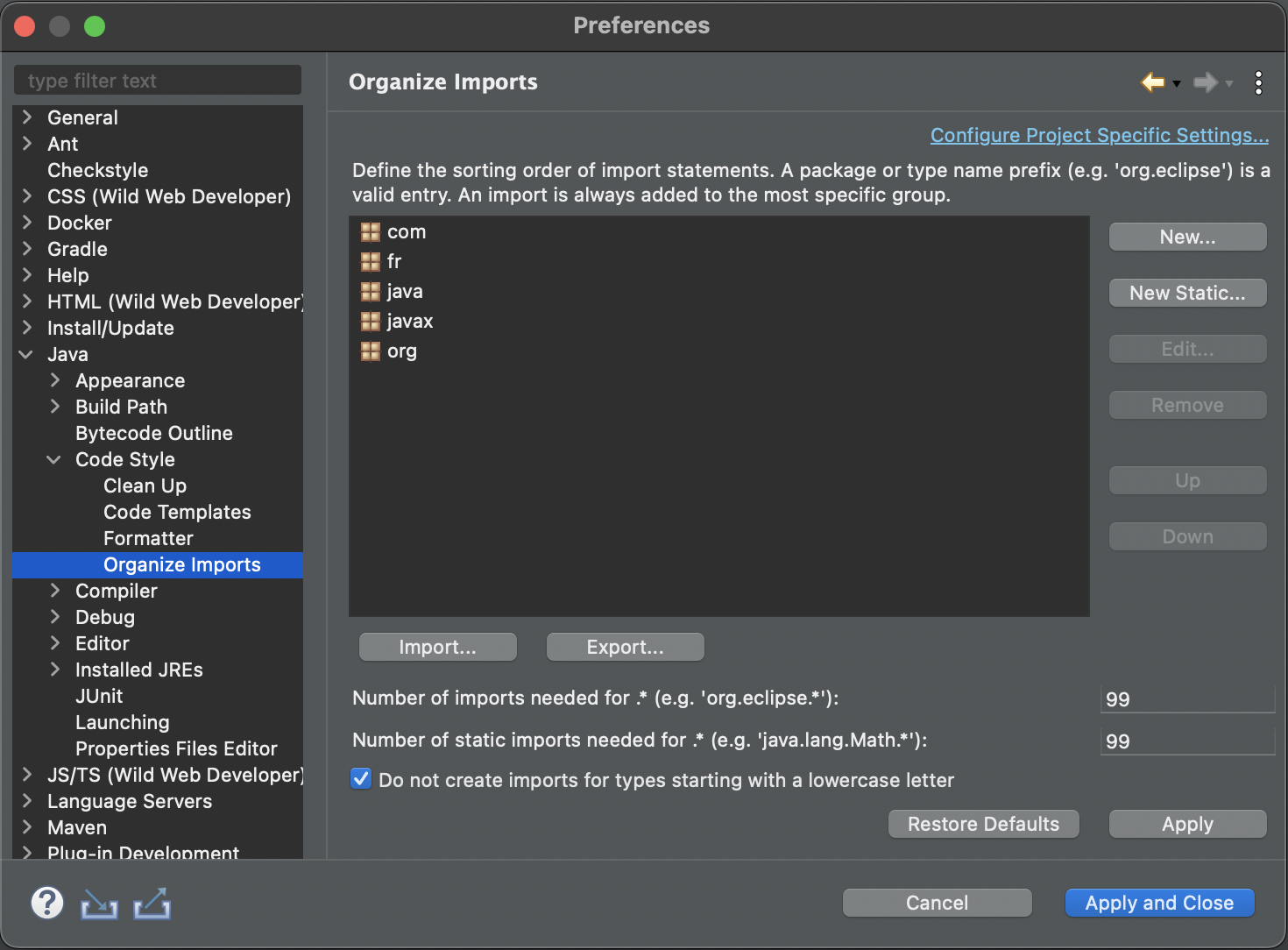
Click on the Apply button.
Import sources
In your Eclipse, go to the Git perspective, and the click on Add an existing local Git repository button.
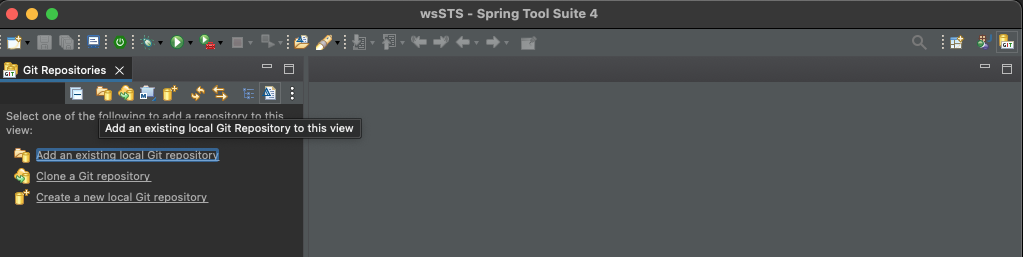
Add your SysON local repository.
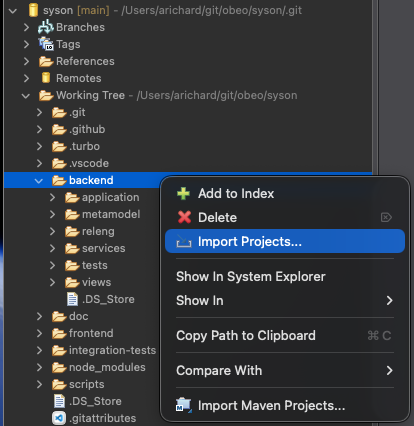
Once added, import sources by right-clicking Import Projects… on the packages directory:
Then select all projects and uncheck all Maven folders or folders named backend :
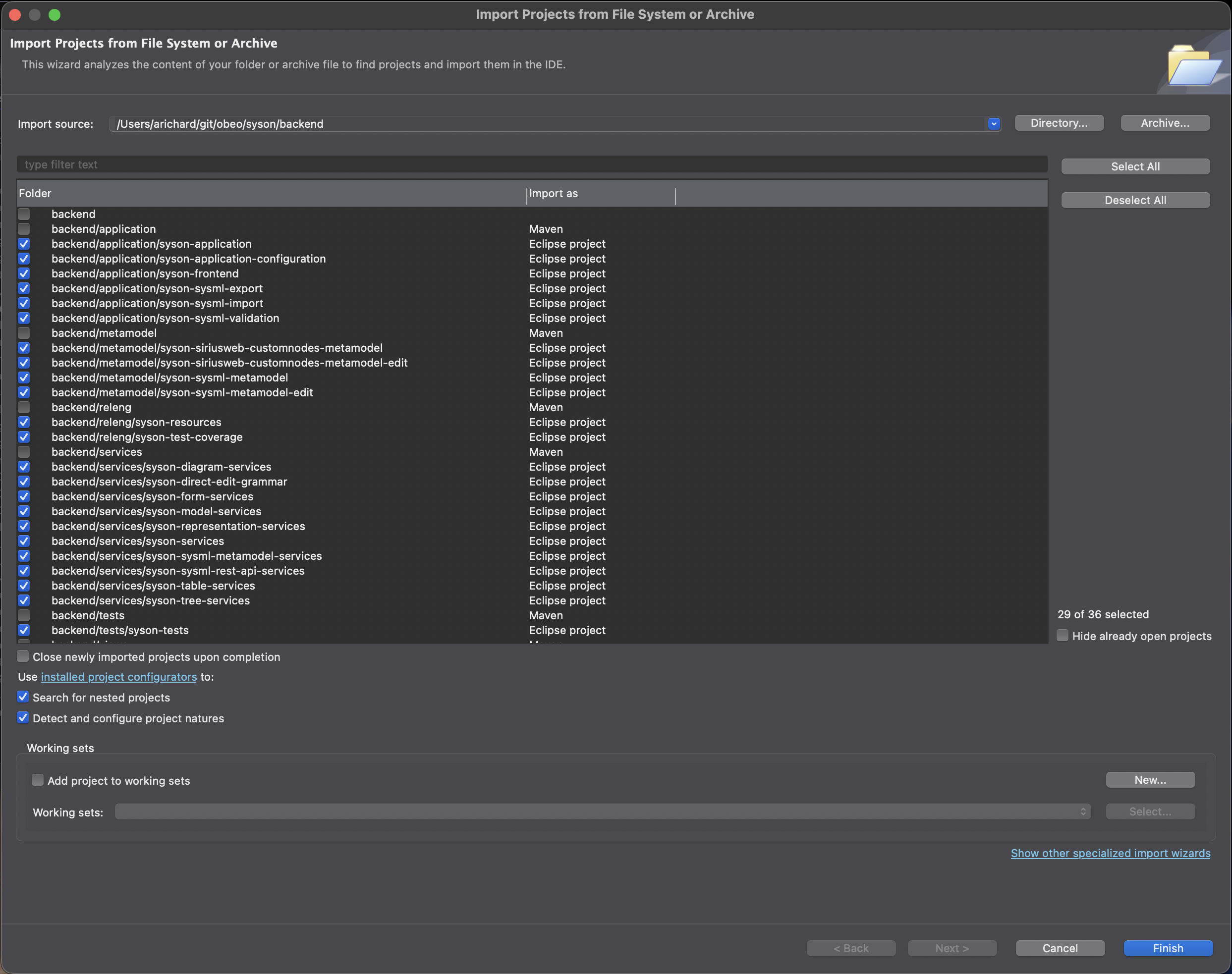
Click on Finish. Your projects should now be in the Package Explorer of your Java perspective. On the bottom right corner of your Eclipse, you should see Eclipse building the projects imported. Wait for the end of this task (this could take a while).
Post-configuration
You need tell checkstyle to use the SysON checkstyle configuration.
Go to Window > Preferences menu (or SpringToolSuite4 > Settings on macOS) and then Checkstyle.
Then click on New… button, select Project Relative Configuration type, type SysON for the name, and browse the SysON checkstyle configuration located in backend/releng/syson-resources/checkstyle in your SysON local repository:
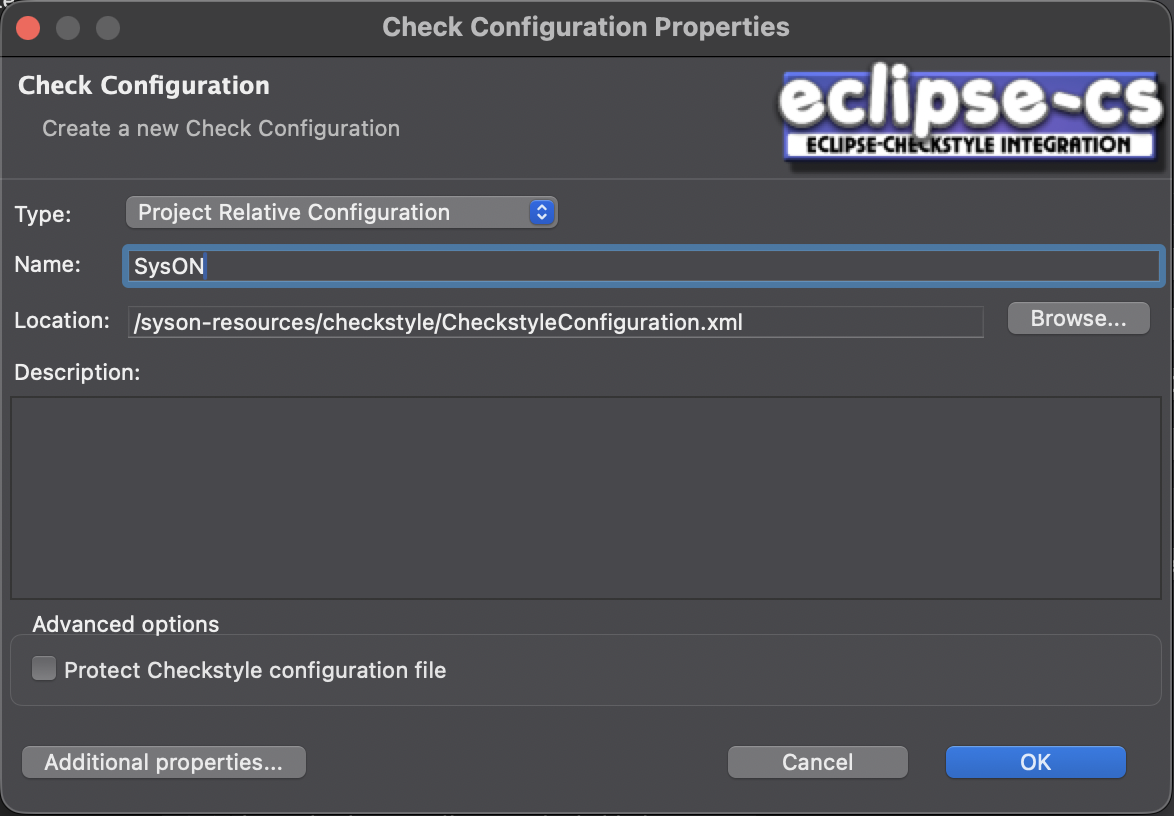
Click on OK.
Then, after selected the newly imported SysON checkstyle configuration, you have to click on Set as Default:
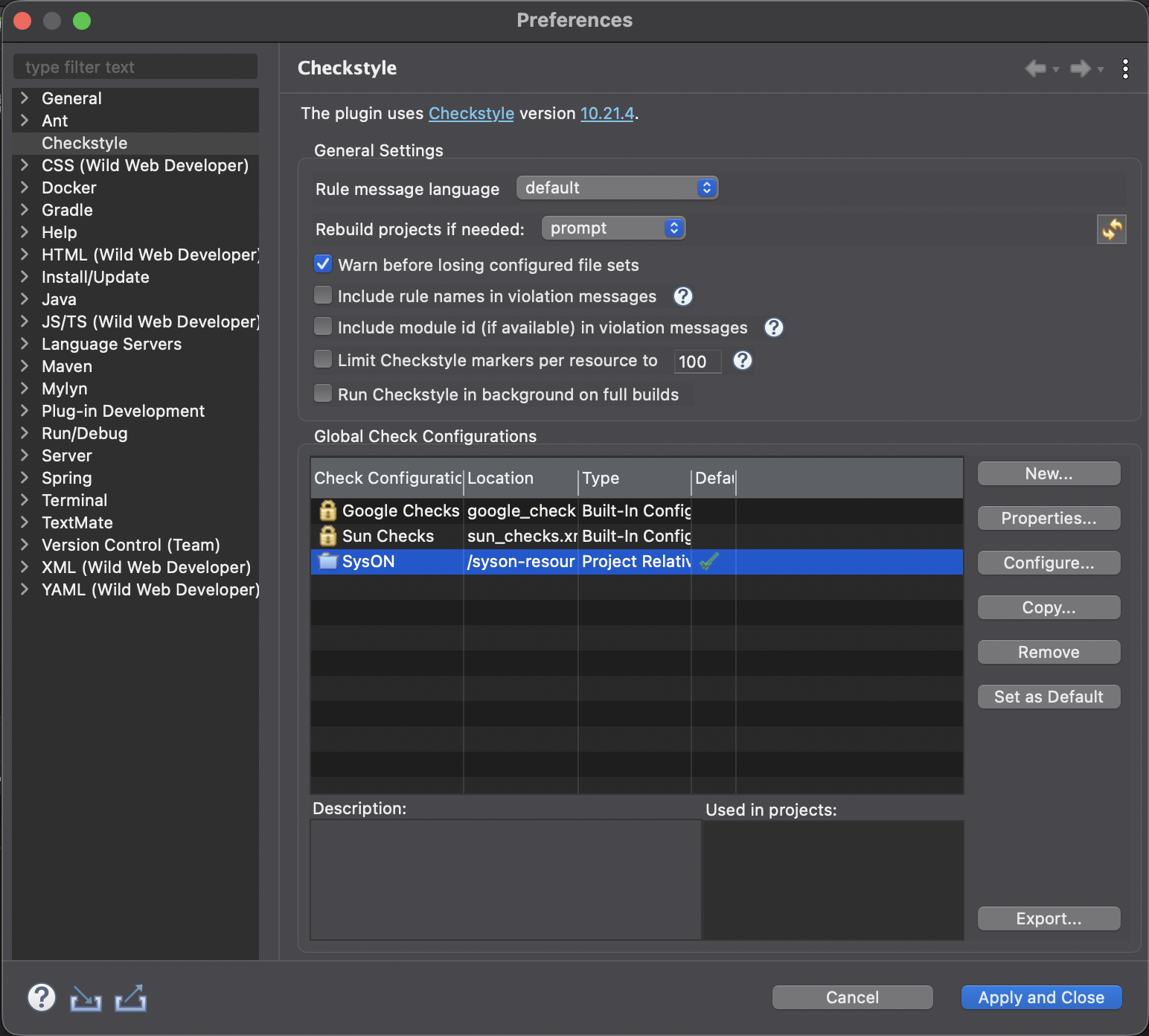
Click on Apply and Close.
2.2. Frontend
2.2.1. Node/NPM
All SysON frontend modules are NodeJS packages. The current Node version to use is 22.16.0. The current NPM version to use is 10.9.2.
We strongly encourage the use of Node Version Manager (NVM) to manage your Node/NPM versions. Indeed, Node/NPM version have changed since the beginning of the development of SysON and will change again.
NVM helps to quickly switch between different versions of Node/NPM.
You can download and follow the installation instructions of NVM here: https://github.com/nvm-sh/nvm
On MS Windows, please follow: https://github.com/coreybutler/nvm-windows
Once installed, you can run the following shell command (from anywhere):
nvm install 22.16.0This will install the appropriate version of NPM as well.
Then check the node version with the following shell command (from anywhere):
node -v2.3. Github and Github Personal Access Token
As for the github backend configuration, the sirius-web and syson frontend packages are hosted on github.
After creating your github personal access token, you will need to create a .npmrc file on your $HOME.
Once created paste the following line in it:
//npm.pkg.github.com/:_authToken=$GITHUB_ACCESS_TOKENBe sure to replace $GITHUB_ACCESS_TOKEN with the value of your access token.
2.3.1. Development with VSCode/VSCodium
Prettier plugin
All SysON frontend modules use Prettier to format the code, so you must install Prettier extension in VSCode/VSCodium.
You can download Prettier for VSCode here: https://marketplace.visualstudio.com/items?itemName=esbenp.prettier-vscode
Please download the latest version and try to stay up-to-date.
You can download Prettier for VSCodium here: https://open-vsx.org/extension/esbenp/prettier-vscode
Import sources
Just import the root folder of the SysON git repository in your VSCode/VSCodium.
2.4. Build
2.4.1. Backend
Eclipse is configured to automatically build your source code.
But, some of your sources may not compile after following the previous steps of this document.
Here are two tips to help resolving compilation issues.
-
Maven update
Select all your SysON maven projects (syson-resources and syson-test-coverage are not maven projects), and then right-click on Maven > Update Project…:
Then, select all projects, uncheck Update project configuration from pom.xml and check force Update of Snapshots/Releases:
Click on OK.
On the bottom right corner of your Eclipse, you should see Maven updating the artifacts concerned. Wait the end of this task (this could take a while) and your compilation issues should be solved.
-
Clean and restart
Eclipse and M2E are so funny that sometimes, even after a Maven Update, you will still face compilation issues.
In this case, a drastic solution is to clean, close, restart your Eclipse and build your projects.
First, disable the automatic build by unchecking the Project > Build Automatically menu item.
Then clean all your sources by clicking on Project > Clean…. close all your projects.
Restart your Eclipse, open all your projects, and then enable the automatic build by checking the Project > Build Automatically menu item.
2.4.2. Frontend
Just run the following shell command (from the root of the SysON git repository) to install all dependencies of all frontend packages:
npm ci
this is only needed once (or when the dependencies from //package.json are updated).
|
Then, just run the following shell command (from the root of the SysON git repository):
npm run build2.5. Launch SysON application as a developer
2.5.1. Database
Just run the syson-postgres container you have created in the docker section.
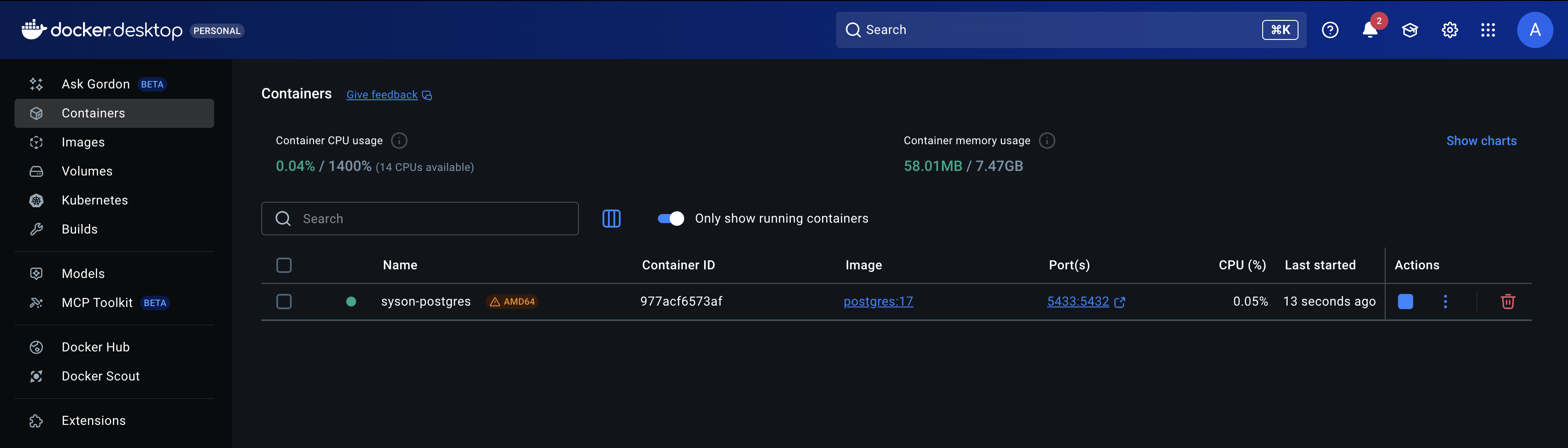
| you can also use the Docker Container view included in your Spring Tool Suite, or the Docker extension in VSCode. |
2.5.2. Backend
In Eclipse, you first need to create a run configuration.
Go to Run > Run Configurations… menu and then double-click on Spring Boot App item.
Fill the name, project, main type and profile properties of the run configuration as below:
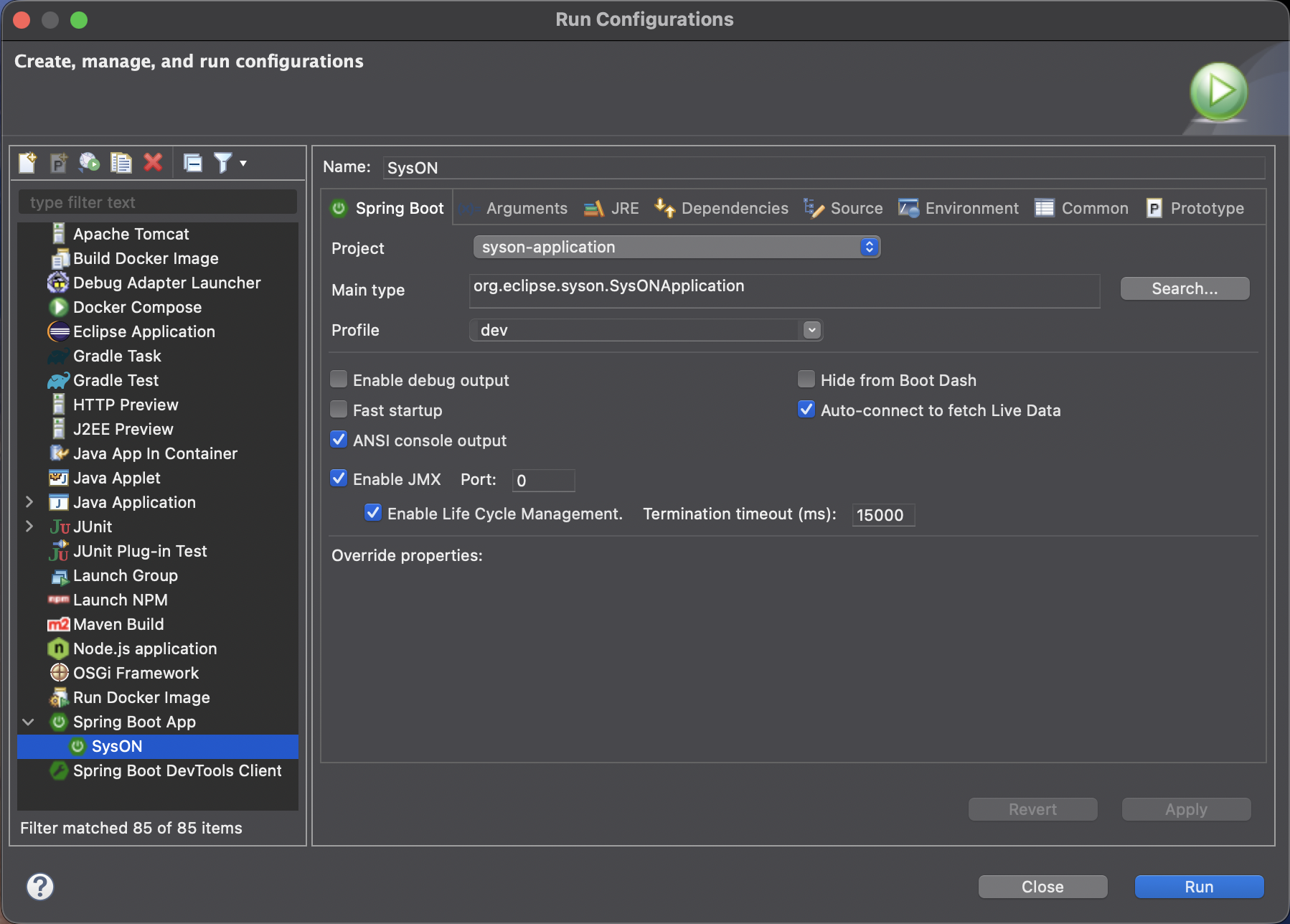
Then click on Run button. You should now see the Eclipse console displaying information about the spring boot application:
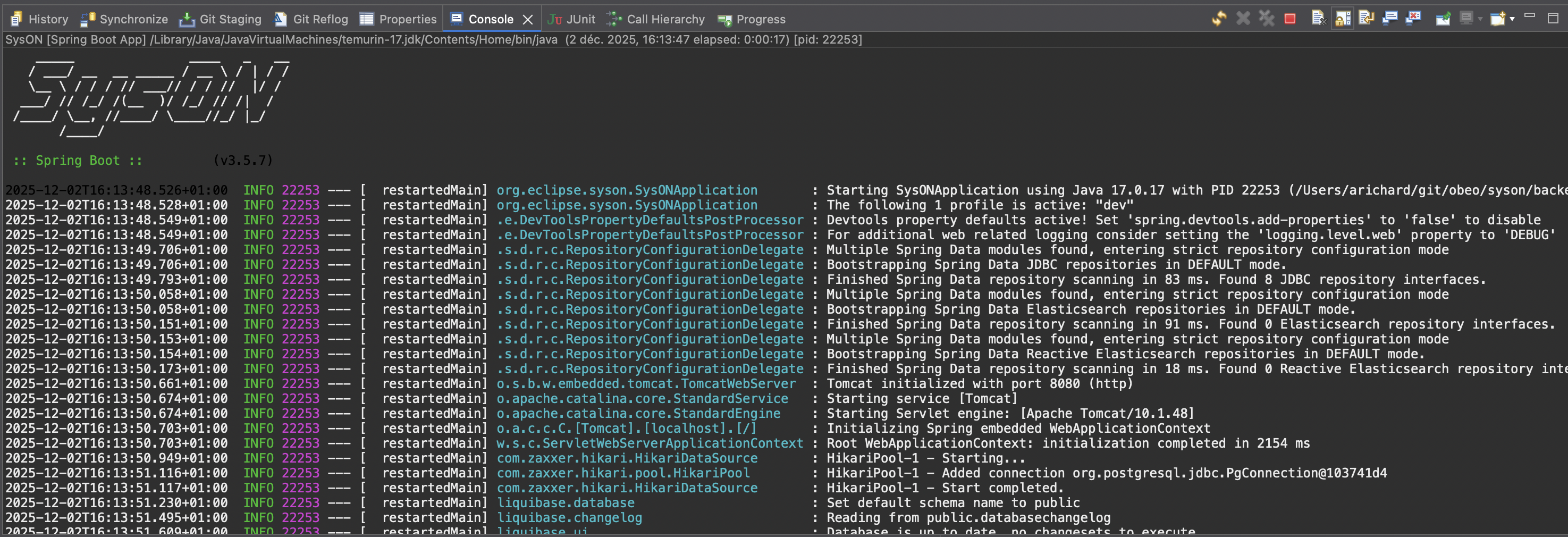
In case you see Spring appears as logo in the console (instead of SysON logo), try to apply a Maven Update and retry.
2.5.3. Frontend
Just run the following shell command (from the root of the SysON git repository):
npm run start3. Testing strategy
This page explains which kinds of tests we maintain in SysON, when to rely on each category, and how to avoid brittle suites.
|
TL;DR — default to backend integration tests unless you truly need to validate complex UI interactions. They let you bootstrap precise domains/views/services, exercise collaborative workflows end to end, and run quickly in CI. |
3.1. Test families
We use the following types of tests:
-
Backend unit tests.
-
Backend integration tests.
-
End-to-end (E2E) tests with Cypress.
-
Manual exploratory/non-regression tests.
3.2. Choosing the right kind of test
3.2.1. Backend unit tests
Use them sparingly to cover algorithms that live entirely inside a single method/service. Most of SysON’s complexity is the integration between components, so it is often more productive to exercise the feature with an integration or collaborative test instead of mocking repositories or event processors.
3.2.2. Backend integration tests
Default to these when the behavior is mostly on the backend and the UI side is simple. They shine when you need to:
-
Seed complex domains/views/services quickly (using fixtures or dedicated Spring beans).
-
Exercise the full lifecycle of a representation (create → inspect → run tools → inspect again).
-
Mock specifier extensions through test-only services.
-
Keep suites fast and deterministic.
3.2.3. End-to-end tests (Cypress)
Use an E2E framework when the frontend interactions are the main risk (diagram gestures, drag-and-drop, etc.). Cypress gives you full confidence that the UI behaves like the end user expects, but they come with steep costs:
-
Slow to author and maintain—every UI step must be scripted.
-
Hard to set up complex initial state because you only have access to the UI/API (no direct DB access).
-
Difficult to test invalid flows because the UI guards against most mistakes.
-
More brittle: it is easy to miss a
waitand try to act before the server responded.
Hence, only add E2E coverage when integration tests cannot exercise the behavior.
3.2.4. Manual tests
Manual runs are still needed, but only for scenarios that cannot be automated yet (for example multi-user concurrency) or for free-form exploratory testing to uncover new bugs. They are inefficient for regression testing because:
-
Maintaining scripts is tedious and error-prone.
-
Humans are bad at noticing small regressions.
-
CI cannot run them.
If a manual test can be automated, invest in the automated version and drop the manual script.
3.3. Decisions / guidelines
-
Prefer backend integration tests unless the UI behavior is the core of the change.
-
When frontend code is substantial, use E2E tests.
-
Remove manual regression tests once an automated equivalent exists.
-
Be frugal with E2E coverage: if a backend integration test can cover the scenario, add that instead.
-
Flaky E2E tests erode trust in CI. Delete them, track an issue, and either stabilize them or replace them with integration tests.
4. Contribute a change in the codebase
You will need to fork the SysON repository on GitHub, create a branch, commit your changes and then create a pull request.
The commit message must strictly follow this format:
[XXXX] Short description of the change (max 70 characters on the first line)(note the empty line after the first line)

Bug: https://github.com/eclipse-syson/syson/issues/XXXX
Signed-off-by: FirstName LastName <e-mail address>
In github, create a pull request from your branch to the main branch of the SysON repository.
Make sure to follow the contribution guidelines described in the pull request page.
5. Services organization
Since version 2025.10.2, SysON services are organized into several modules to improve maintainability and scalability.
-
Services that query/mutate the model are located in the module
syson-sysml-metamodel-services.-
this module will depend on
syson-sysml-metamodel. -
all services in this module won’t depend on Spring, Sirius-Web or any diagram/table related code.
-
-
Services that query/mutate the model through Sirius-Web services are located in the module
syson-model-services.-
all services in this module are allowed to depend on Sirius-Web
-
for example, services that query the model through
IObjectSearchService.
-
-
Services that query/mutate a diagram are located in the module
syson-diagram-services.-
all services in this module are allowed to depend on Sirius-Web.
-
-
Services that query/mutate a table are located in the module
syson-table-services.-
all services in this module are allowed to depend on Sirius-Web.
-
-
Services that query/mutate a tree are located in the module
syson-tree-services.-
all services in this module are allowed to depend on Sirius-Web.
-
-
Services that query/mutate a form are located in the module
syson-form-services.-
all services in this module are allowed to depend on Sirius-Web.
-
-
Services that query/mutate and are transversal/common to any representation are located in the module
syson-representation-services.-
all services in this module are allowed to depend on Sirius-Web.
-
will contain services that can be used in all representations
-
-
Services will be grouped in classes by their purpose and usage:
-
a service that query the model will be in a class named
ModelQueryService. -
a service that mutate the model will be in a class named
ModelMutationService. -
a service that query the diagram will be in a class named
DiagramQueryService. -
a service that mutate the diagram will be in a class named
DiagramMutationService. -
a service querying label of diagram elements will be in a class named
DiagramQueryLabelService. -
a service modifying the label of diagram elements will be in a class named
DiagramMutationLabelService. -
same for tables, trees, forms, representations.
-
XXXQueryService,XXXMutationService,XXXQueryYYYService,XXXMutationYYYServiceclasses can be split in smaller classes if they contain too many services.
-
-
In addition to services classes, each module contains two specific services classes which are the entry points for services that are intended to be called from AQL expressions:
-
these classes contain services that are intended to be called from AQL expressions.
-
they are suffixed by AQLService.
-
their only role are to expose services from other service classes.
-
other service classes are not suffixed by AQLService and contain services that are intended to be called from Java code or by AQLService classes.
-
To help you understand this new organization, and how to add new services, please refer to the schema below:
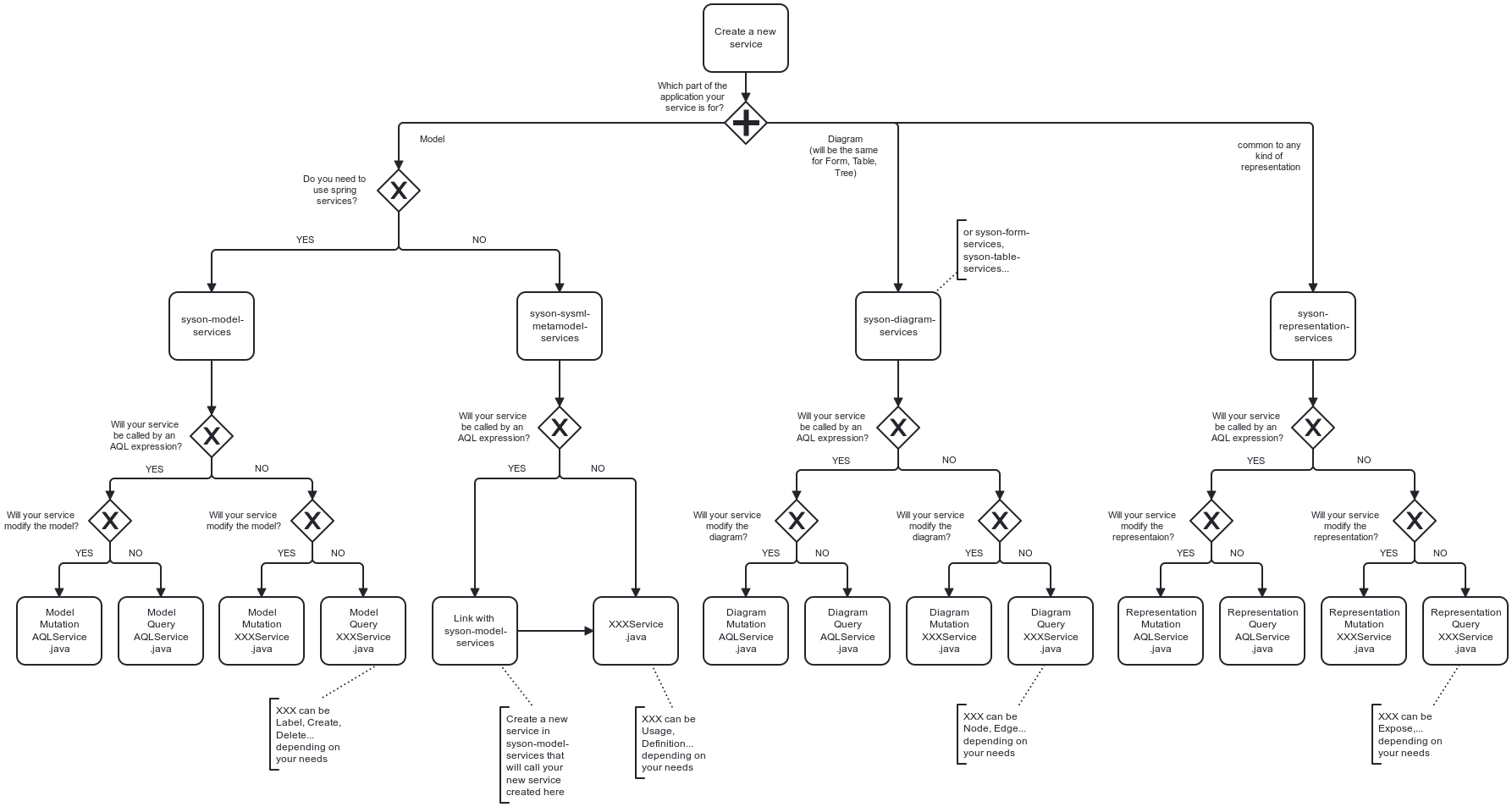
Old services that were in the syson-services, syson-diagram-common-view, syson-standard-diagrams-view modules will be migrated to the appropriate new modules in the next releases.
5.1. ServiceMethod
Since version 2025.10.2, SysON also introduce a new utility class called ServiceMethod (in syson-services).
This class is an helper to build AQL service call expressions from type-safe Java method references instead of hardcoded strings.
Why use it:
- Refactoring friendly: IDE rename of the Java method updates call sites.
- Navigation: find usages works, you can jump to the service implementation.
- Fewer string literals, fewer typos.
- Produces the exact same AQL strings as AQLUtils helpers.
How it works:
- You pass a <b>serializable</b> method reference to one of the factory methods of0, of1, of2, of3… for instance methods, or ofStatic0… for static methods.
The arity suffix equals the number of AQL parameters after self.
- The helper extracts the Java method name through the standard lambda serialization hook (reading a SerializedLambda).
No service is invoked.
- You then call aqlSelf(String…) or aql(String, String…) to build the final AQL string, delegating to AQLUtils.
|
Important: the arguments passed to aqlSelf(…) and aql(var, …) are AQL snippets, not Java values. For example use "'declaredName'" for a string literal and ViewFormDescriptionConverter.NEW_VALUE if it already returns an AQL snippet. |
When to use which call: - aqlSelf(String…) when the receiver is self, for expressions like aql:self.myService(…). - aql(String, String…) when you target another variable in the AQL context, for example aql:elt.myService(…).
Type inference: - if the compiler says something like The type X does not define methodName(Object, Object,…), add a type witness to the factory so it can match the real signature.
Examples:
// setNewValue(Element, String, Object)
ServiceMethod.<FormMutationAQLService, Element, String, Object> of2(FormMutationAQLService::setNewValue).aqlSelf("'declaredName'", ViewFormDescriptionConverter.NEW_VALUE);

// setAsView(ViewUsage, String)
ServiceMethod.<DiagramMutationAQLService, ViewUsage, String> of1(DiagramMutationAQLService::setAsView).aqlSelf("'StandardViewDefinitions::GeneralView'");

// predicate isActor(Element)
ServiceMethod.<ModelQueryAQLService, Element> of0(ModelQueryAQLService::isActor).aqlSelf();
6. Generate a new OpenAPI documentation of REST API
-
Build and run the syson server locally (using docker compose as example) on
http://localhost:8080. -
Download the documentation at the url:
http://localhost:8080/v3/api-docs/rest-apis. -
The swagger-ui user interface is
http://localhost:8080/swagger-ui/index.html.